Keeping your team on the same page is a game changer. Did you know that companies with strong internal communication are at least 25% more productive? With HighLevel, you can add internal notes to conversations, ensuring all details are in one place, and fostering strong communication within your company. Let’s dive into how you can effectively utilize this feature to enhance your team’s productivity.
Why Internal Communication Matters
Effective internal communication is essential for any organization. It not only improves productivity but also fosters a positive work environment. When team members are well-informed, they can collaborate more effectively, reducing the chances of misunderstandings and errors. In fact, strong internal communication can lead to better decision-making and a more engaged workforce.
Introducing Internal Notes Feature
The internal notes feature in HighLevel allows you to keep track of important information directly within conversations. This is especially useful for managing client interactions or team discussions where details matter. You can add notes that are visible to your team, ensuring everyone is aligned on the conversation’s context.
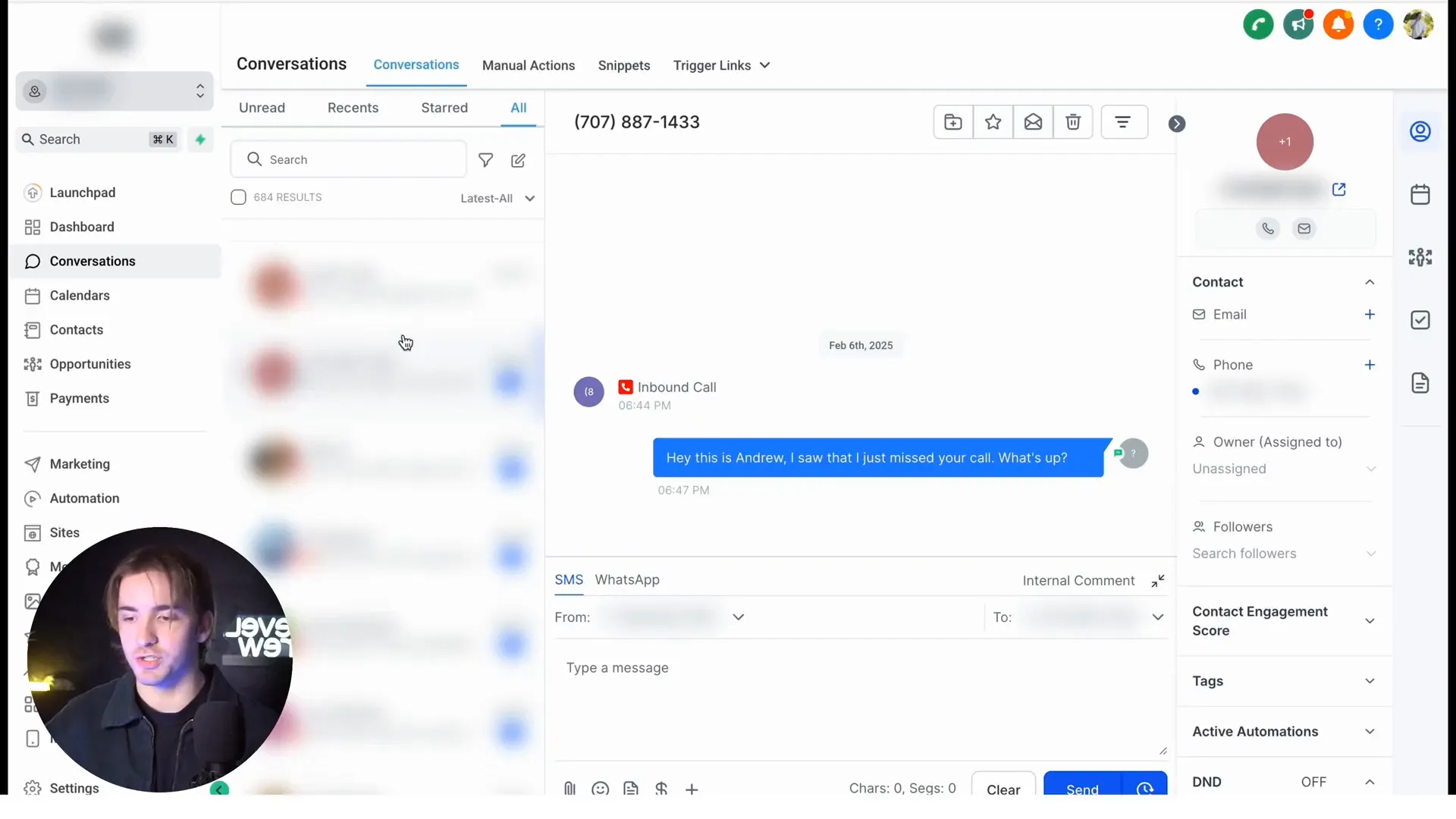
How to Add Internal Notes
Let’s look at how to add internal notes step-by-step:
- Navigate to the conversations within your subaccount.
- Select a conversation you wish to add a note to.
- On the right-hand side, click on the "Notes" section.
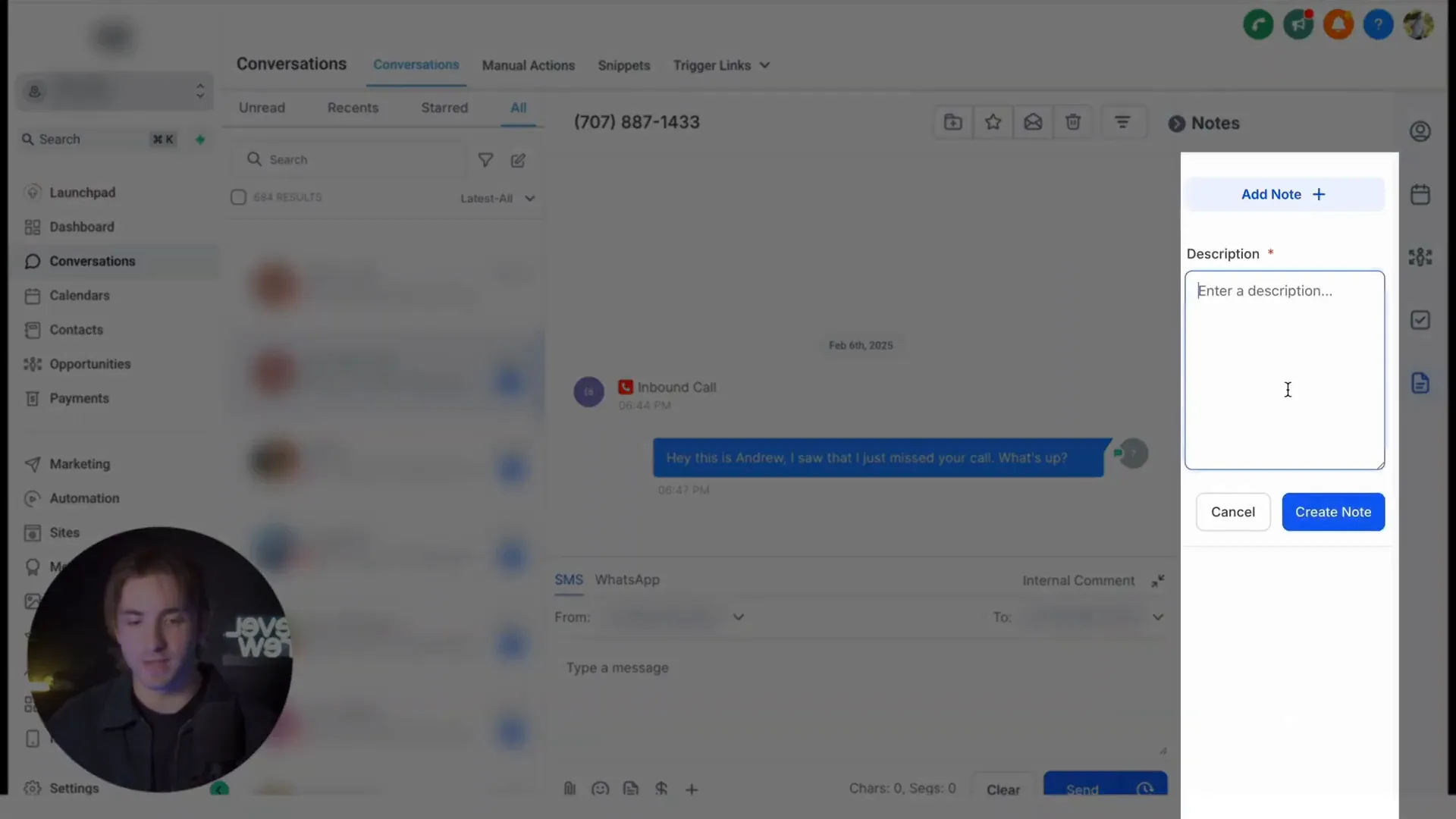
- Click "Add Note" and type your message.
- Save the note, and it will be housed within that conversation for your team to view.
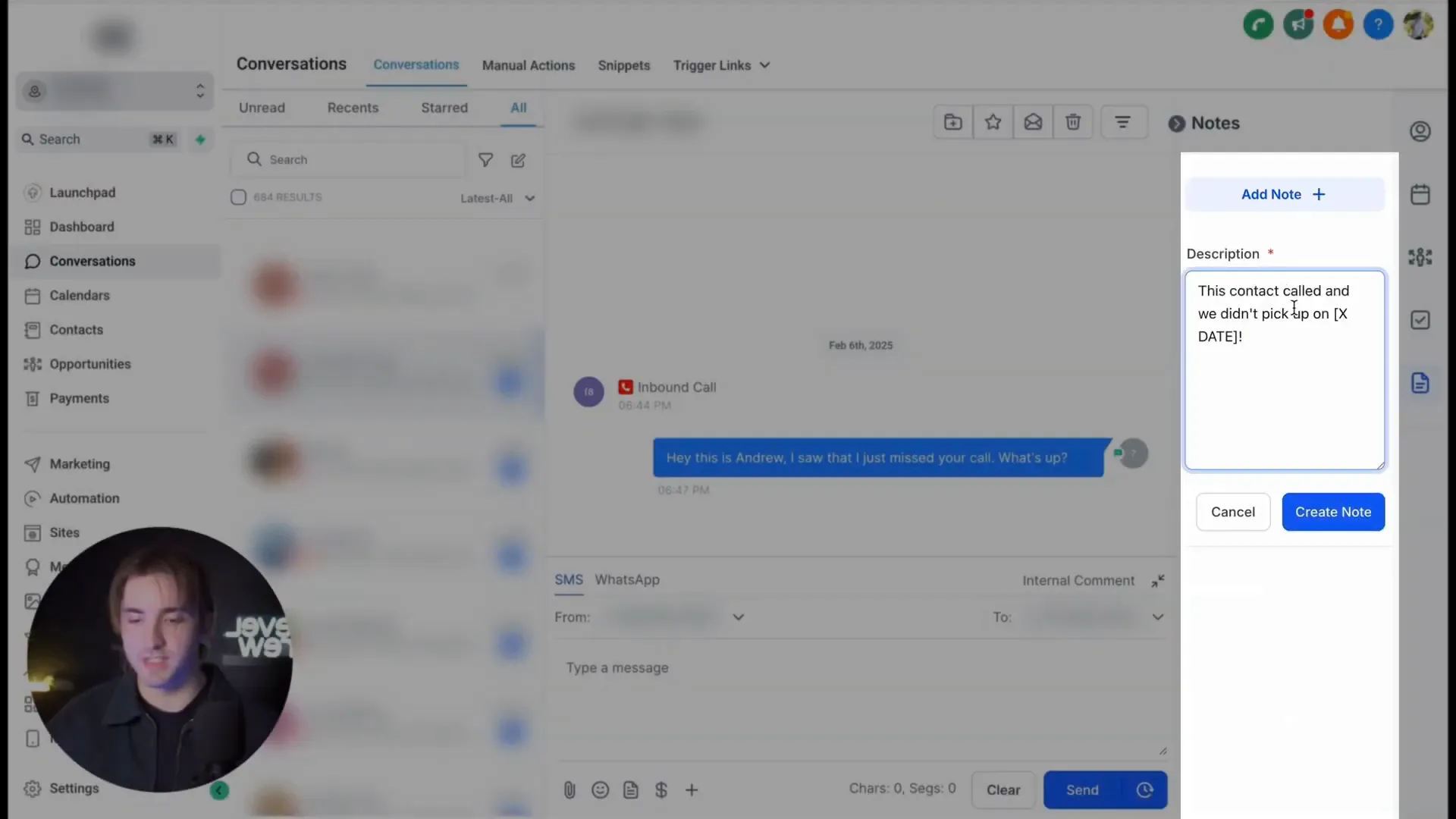
Practical Example of Using Internal Notes
Imagine you have a client who called but you missed the call. You can add a note stating, "Contact called on [date], missed the call." This note will be visible to your team members, allowing them to follow up appropriately. This feature ensures that no crucial information falls through the cracks and keeps everyone informed.
Benefits of Using Internal Notes
There are several benefits to utilizing the internal notes feature:
- Centralized Information: All details related to a conversation are stored in one place, making it easy for team members to access.
- Improved Collaboration: Team members can see notes left by others, allowing for a more cohesive approach to client management.
- Enhanced Accountability: By documenting conversations and actions taken, team members can hold each other accountable for follow-ups and tasks.
- Better Customer Service: With all relevant information at hand, your team can provide a more personalized and informed service to clients.
Final Thoughts on Internal Notes
This internal notes feature is an awesome tool that can significantly enhance your team's communication and productivity. By keeping all conversation details in one accessible place, you ensure that your team can collaborate effectively and provide the best support possible to your customers.
Frequently Asked Questions
1. Can anyone on my team add notes to conversations?
Yes, any team member who has access to the conversation can add notes, making it a collaborative effort.
2. Are the notes visible to clients?
No, internal notes are only visible to your team members and are not shared with clients.
3. Can I edit or delete notes after they are saved?
Yes, you can edit or delete notes at any time if you need to update the information or remove it altogether.
4. Is there a limit to how many notes I can add?
No, you can add as many notes as needed to keep track of all relevant details within a conversation.
5. How can I ensure my team uses this feature effectively?
Encourage your team to regularly update notes and highlight the importance of maintaining clear communication to improve overall productivity.
By implementing the internal notes feature in HighLevel, you’re taking a significant step towards enhancing your team's communication and efficiency. For more resources on improving your business processes, visit GFunnel.


