Managing multiple social media accounts can often feel overwhelming, especially when you want to maintain a consistent presence across platforms like Facebook, Instagram, TikTok, and LinkedIn. But what if you could streamline this process and post to all your social accounts effortlessly from your mobile device? Well, you can—and it’s easier than you think with the HighLevel (Lead Connector) mobile app.
In this comprehensive guide, I’ll walk you through how to use the HighLevel (Lead Connector) mobile app to post on all your connected social media accounts in just a few taps. Whether you’re a busy entrepreneur, a marketer, or a social media manager, this feature will save you time and help you engage your audience more effectively. Plus, I’ll explain how integrating this process within the Lead Connector ecosystem can elevate your entire social media and business strategy.
Why Use HighLevel (Lead Connector) Mobile App for Social Posting?
Most users are familiar with HighLevel’s desktop social planner, which has long been a favorite for scheduling and managing social content. However, the mobile app version packs a powerful punch, allowing you to manage and post to all your social accounts directly from your phone or tablet. This means you can stay connected, responsive, and proactive no matter where you are—perfect for entrepreneurs and businesses on the go.
Using the mobile app’s social posting feature offers several benefits:
- Convenience: No need to log into each platform separately or wait until you’re at your computer.
- Efficiency: Post simultaneously to multiple platforms, saving time and ensuring consistent messaging.
- Customization: Tailor posts for each platform to maximize engagement.
- Integration: Leverage the power of the Lead Connector ecosystem to centralize your marketing and communication efforts.
Getting Started: Navigating the Mobile App to Post on Social Media
Let’s dive into the step-by-step process of posting to all your social media accounts using the HighLevel (Lead Connector) mobile app.
Step 1: Open the Mobile App and Access Social Planner
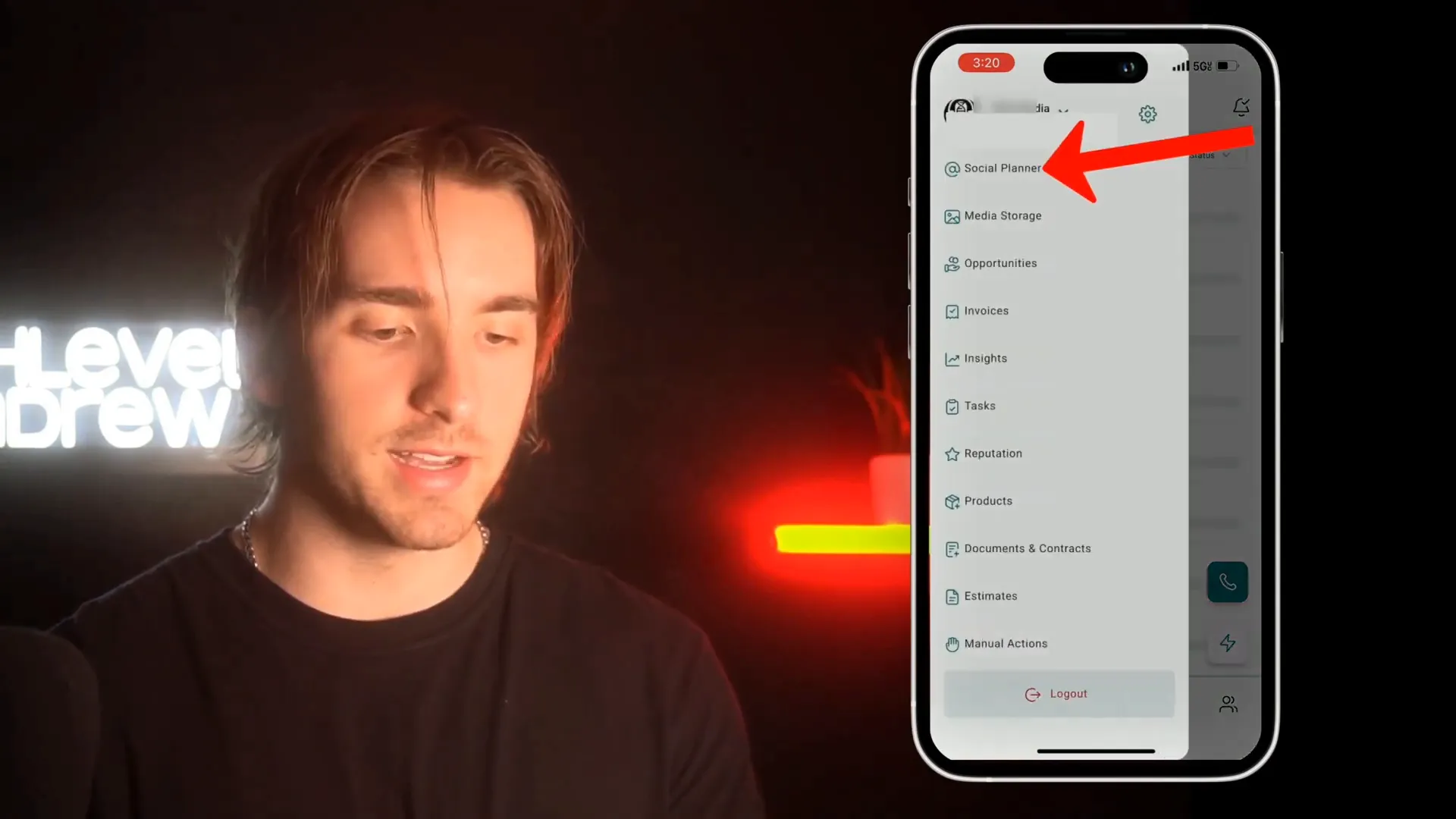
Once you open the HighLevel (Lead Connector) mobile app, look for the “hamburger menu” icon (three horizontal lines) in the top left corner of the screen. Tap on this menu to reveal the navigation options.
From the menu, select Social Planner. This will bring you to a dashboard showing all the social media accounts connected to your subaccount.
Step 2: View Connected Social Accounts
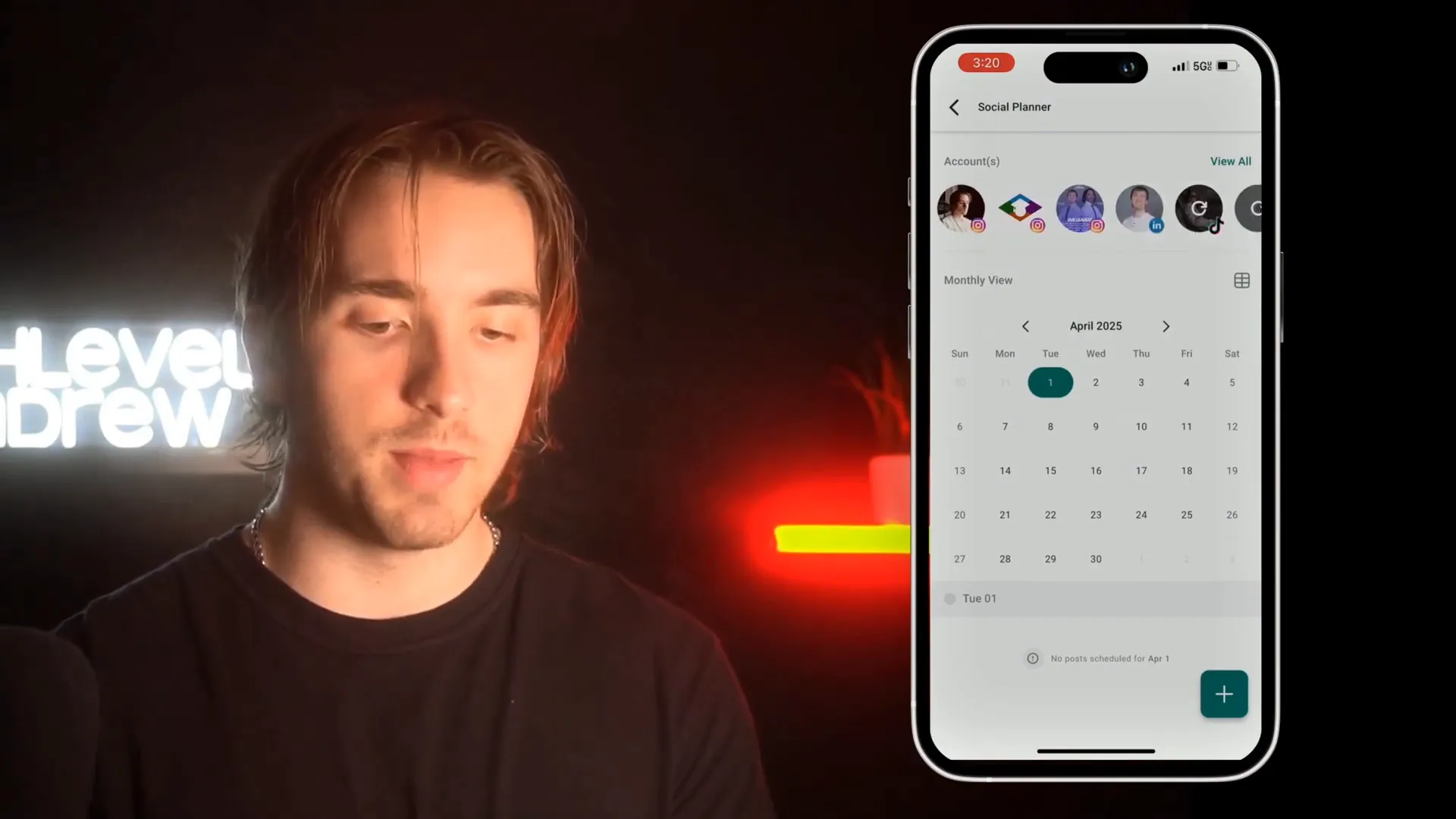
In the Social Planner, you’ll see all your connected social media platforms, such as Facebook, Instagram, TikTok, and LinkedIn. This consolidated view allows you to manage your social presence from one place.
Make sure your desired social accounts are connected to your subaccount in HighLevel (Lead Connector) beforehand. If not, you can add them via the desktop or mobile app settings.
Step 3: Start Creating Your Post
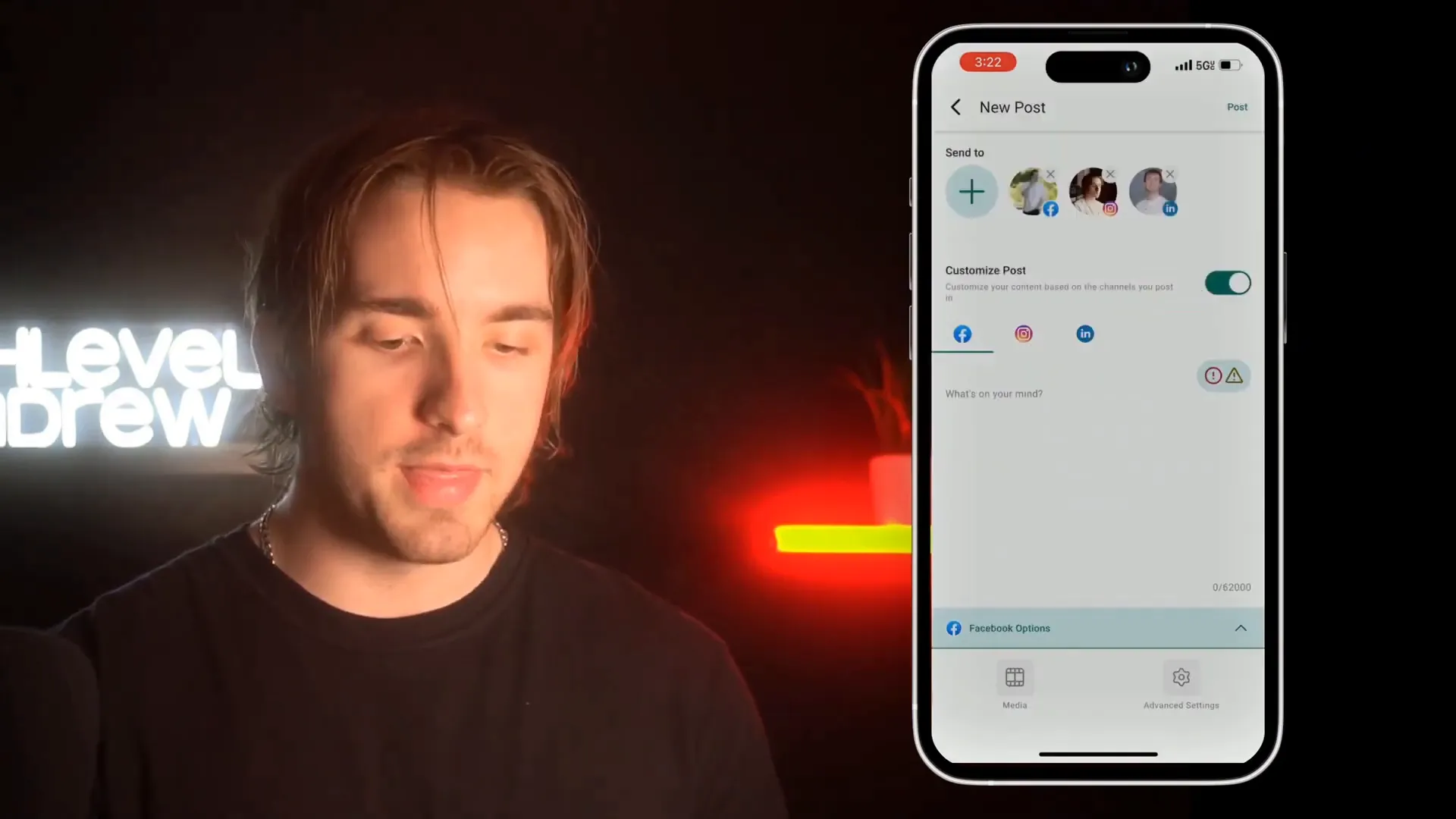
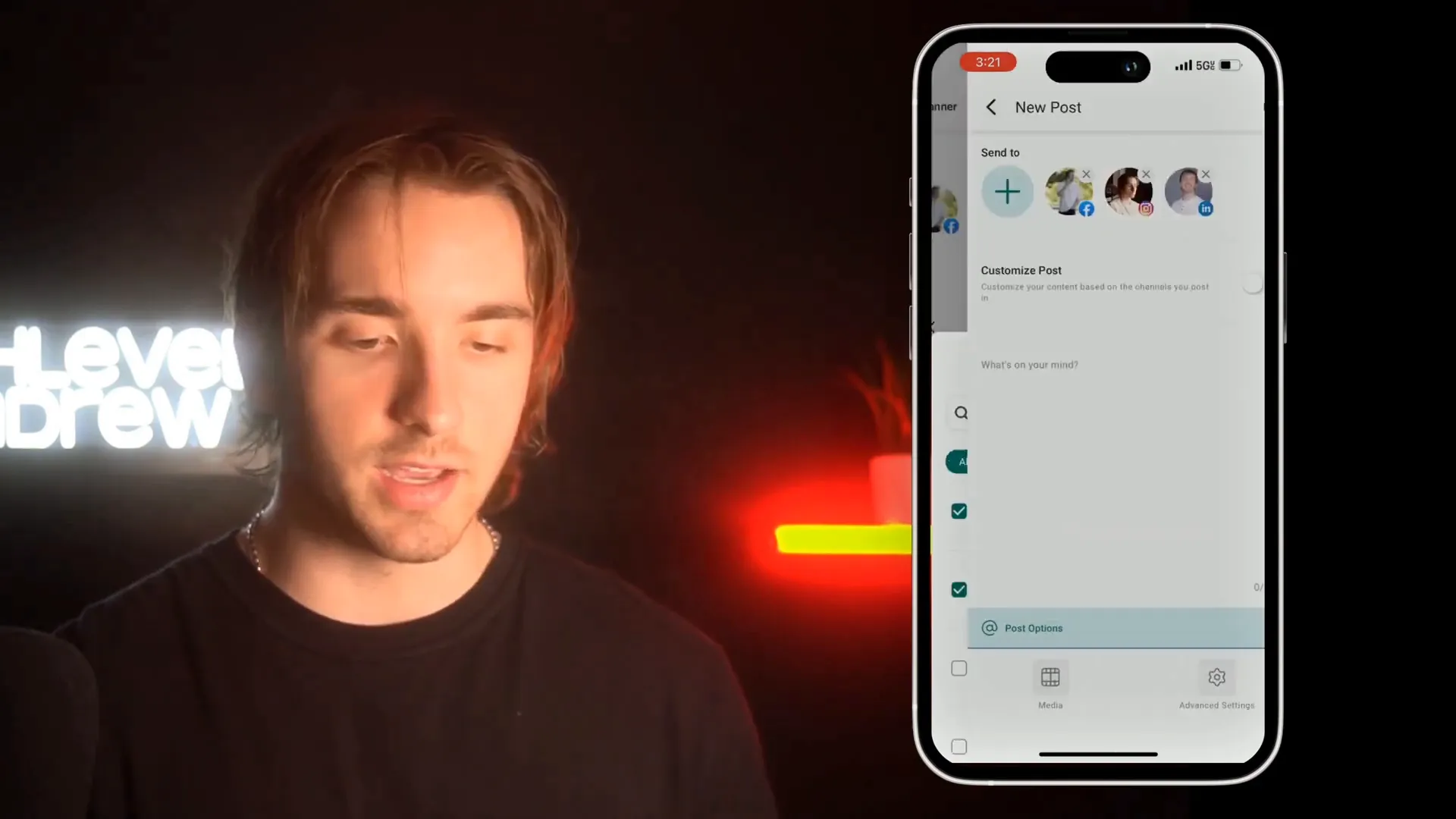
To create a new social post, tap the plus (+) icon located in the bottom right corner. This opens up the post creation interface where you can craft your message.
Crafting and Customizing Your Social Media Posts
Now that you’re in the post creation screen, here’s how to make your content stand out and fit each platform perfectly.
Write Your Caption
In the central text area, add your caption or message. This is where you connect with your audience, so make it engaging and relevant.
Add Visual Content
Visuals are essential for social media engagement. You can add images or videos to your post by:
- Taking a new picture or video directly from your device's camera.
- Choosing existing media from your phone’s gallery.
- Selecting files from your device’s storage.
- Using media stored within your HighLevel (Lead Connector) subaccount’s media library.
This flexibility ensures you can always post the best content no matter where it’s stored.

Customize Posts for Each Platform
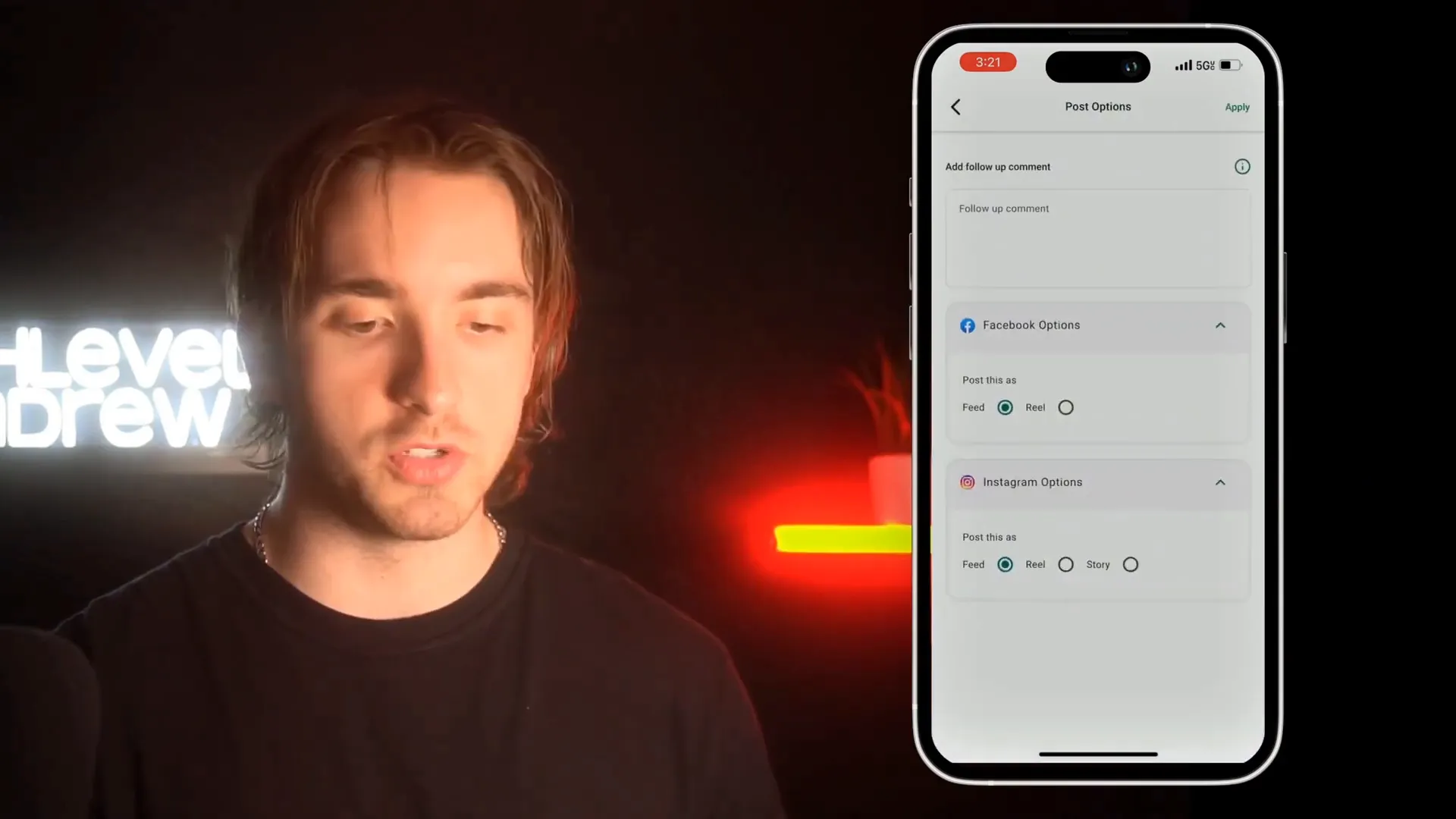
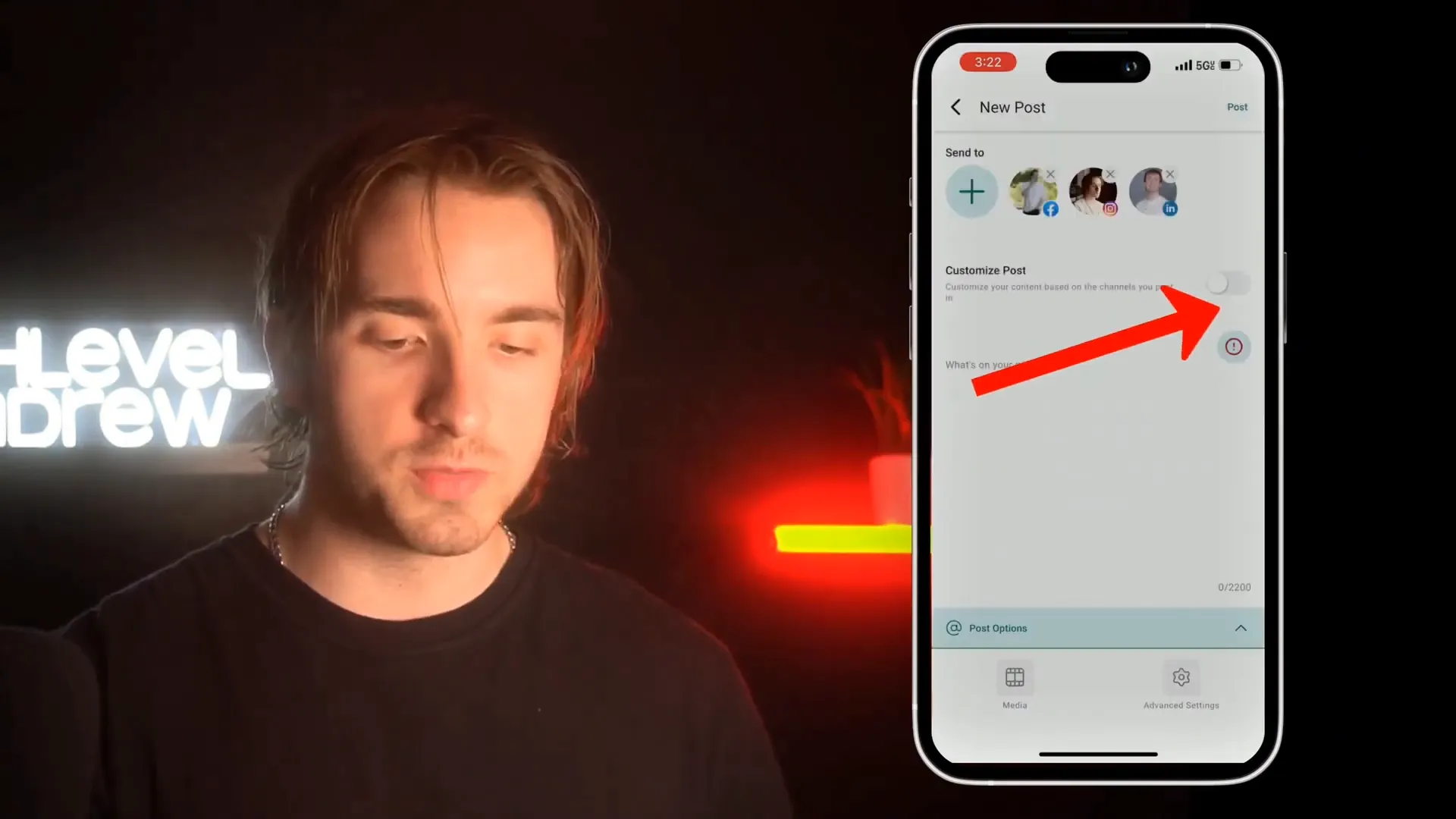
One of the most powerful features is the ability to customize your post for each social network. By toggling on Customize Post, you can tailor captions, visuals, and post formats to fit the unique requirements and audience expectations of Facebook, Instagram, LinkedIn, and TikTok.
This means you don’t have to create separate posts manually for each platform. Instead, you do it all in one place, saving time and maintaining consistency.
Advanced Post Settings to Maximize Your Reach
Beyond the basics, the mobile app also offers advanced settings to organize and optimize your posts.
Choose Categories and Add Tags
Under the advanced settings section, you can assign categories and tags to your posts. This helps in organizing your content and tracking the performance of different types of posts over time.
For example, you might categorize posts by campaign, content type, or target audience, making it easier to analyze engagement and ROI.
Scheduling and Posting
When your post is ready, simply tap the Post button located in the top right corner. Your content will be published simultaneously across all selected social platforms.
This instantaneous posting is perfect for time-sensitive announcements, promotions, or updates.
Leveraging GFunnel and Lead Connector for Ultimate Business Growth
While HighLevel (Lead Connector) provides a robust tool for social media posting, integrating this within the GFunnel all-in-one business ecosystem takes your marketing to the next level.
GFunnel is designed to connect entrepreneurs, creators, and businesses with world-class tools and resources to streamline lead generation, sales funnels, automation, and customer relationship management (CRM). By using the HighLevel (Lead Connector) mobile app for social posting alongside GFunnel’s suite, you can:
- Centralize your communications: Manage leads, contacts, and social media outreach all from one dashboard.
- Automate workflows: Trigger follow-ups, nurture campaigns, and sales sequences based on social media engagement.
- Track conversions: See how social posts drive traffic and sales within your funnel.
- Collaborate effectively: Share social content strategies with your team and clients instantly.
To get started with GFunnel and HighLevel (Lead Connector), visit the Create Account page and explore the various tools designed to amplify your business growth.
Summary: How to Post to All Your Social Media Accounts from the Mobile App
- Open the HighLevel (Lead Connector) mobile app and tap the hamburger menu in the top left.
- Select Social Planner to view all connected social accounts.
- Tap the plus (+) button to create a new post.
- Add your caption and attach images or videos from your device or media library.
- Turn on Customize Post to tailor content for each platform.
- Use advanced settings to assign categories and tags for better organization.
- Tap Post to publish simultaneously across all selected social networks.
By mastering these steps, you can easily manage your social media presence on the go, saving valuable time while ensuring your brand message is consistent and engaging.
Frequently Asked Questions (FAQ)
Can I post to all social media platforms at once using the mobile app?
Yes! The HighLevel (Lead Connector) mobile app allows you to post simultaneously to all connected social accounts including Facebook, Instagram, TikTok, and LinkedIn.
Is it possible to customize posts for each social platform?
Absolutely. The app provides a “Customize Post” option where you can tailor captions and media for each platform to optimize engagement.
Do I need to have my social accounts connected beforehand?
Yes, you need to connect your social media accounts to your subaccount in HighLevel (Lead Connector) before you can post through the mobile app.
Can I schedule posts for later using the mobile app?
The current mobile app functionality focuses on immediate posting. For advanced scheduling options, you may want to use the desktop version or check for updates within the app.
How does integrating with GFunnel help my social media marketing?
GFunnel offers a complete business ecosystem that integrates with HighLevel (Lead Connector) to automate lead management, sales funnels, and customer engagement, making your social media marketing more effective and measurable.
Final Thoughts
Social media is a critical channel for building your brand and connecting with your audience. With the HighLevel (Lead Connector) mobile app, you can now manage all your social media posts in one place, right from your phone. This feature is a game-changer for busy professionals who want to stay agile and responsive in today’s fast-paced digital world.
Don’t forget to leverage the power of the Lead Connector within the broader GFunnel ecosystem to fully automate and scale your business operations. If you haven’t already, explore GFunnel’s resources and tools to unlock your business’s full potential.
Thanks for reading, and here’s to your social media success!