Hey there! Happy Monday, everyone! It's Sean here, and today I’m excited to share a fantastic update that will change the way you handle documents and contracts. If you didn’t know, our platform offers robust document and contract capabilities, complete with full electronic signature functionality. It’s designed to match the top e-sign platforms out there, ensuring you can seamlessly replace any existing e-signature tools with ours.
What's New in Document Management?
Today's update brings a game-changer for multi-member teams. We’ve integrated a dynamic field assignment feature to the sender in our documents and contracts. But what does this mean for you? Let’s break it down.
The Power of Dynamic Field Assignment
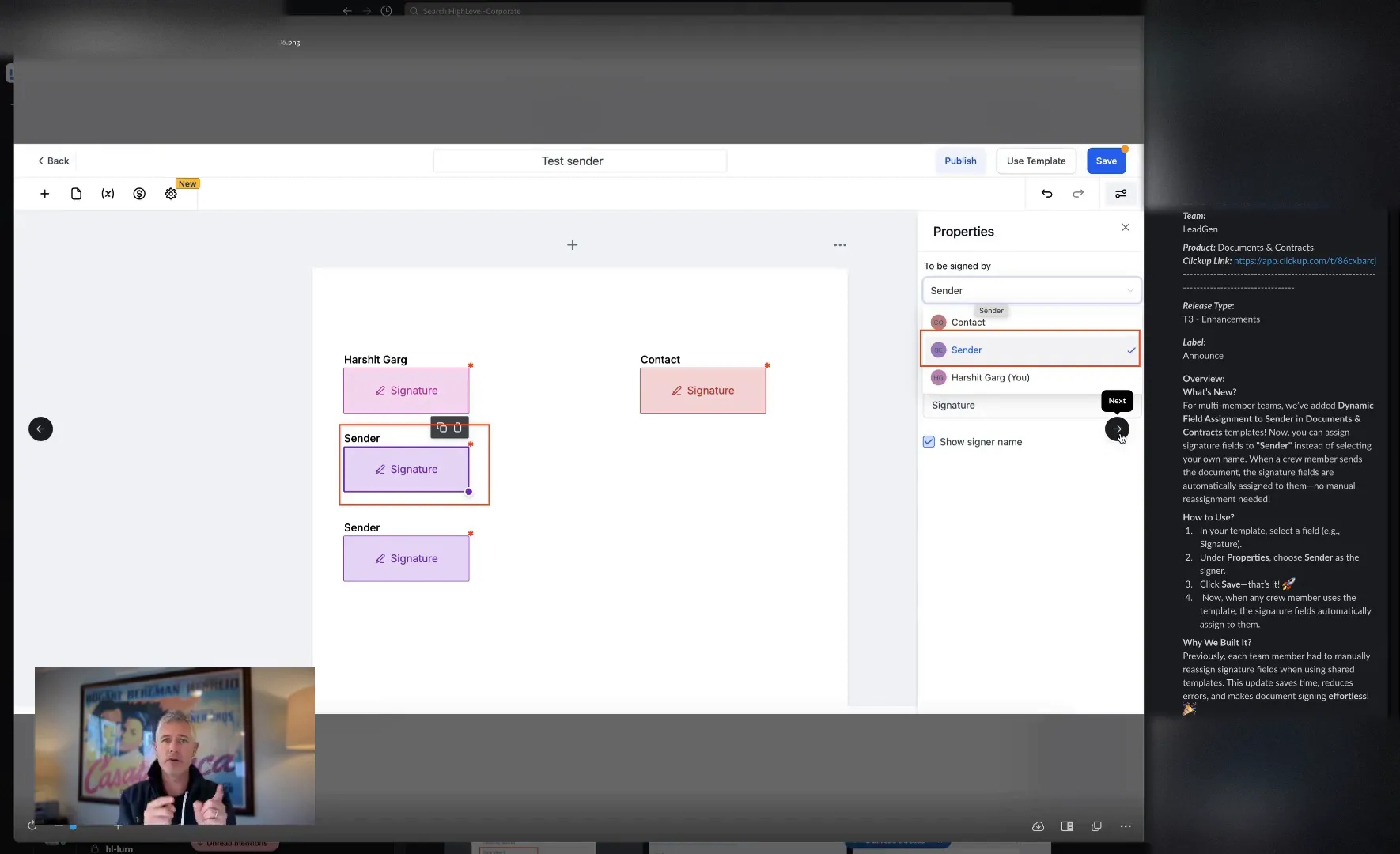
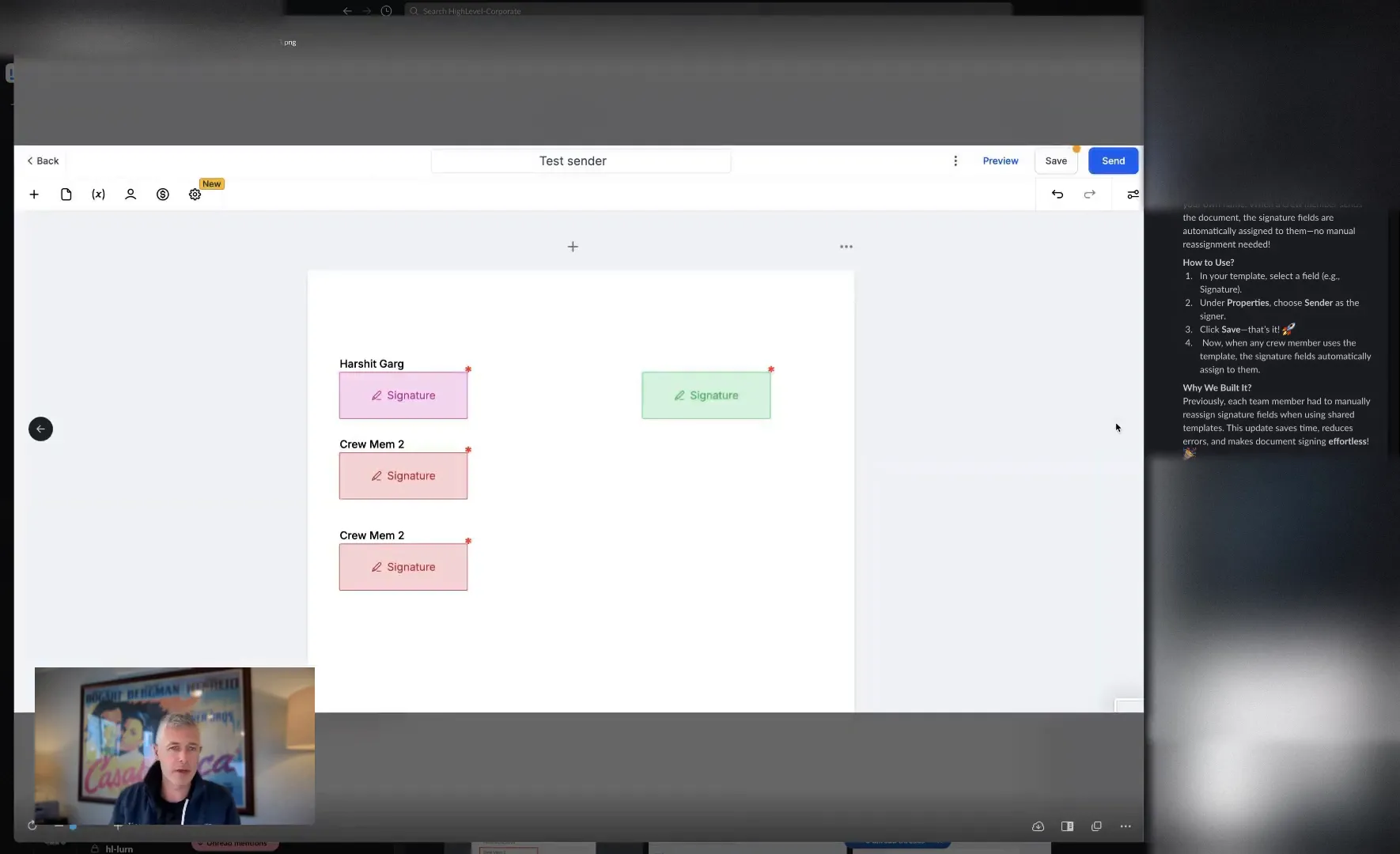
When you’re sending out a contract, you often need to assign signature fields. Traditionally, you would select a specific sender, like yourself or a team member, to fill this role. Now, you can create a template that automatically assigns the sender field to whoever is sending the document. This means if I send out a contract, it will be signed by me, and if you send it, the sender field will reflect you. This dynamic assignment saves you from the hassle of creating multiple templates for each team member.
Benefits for Multi-Member Teams
The new feature is particularly beneficial for teams with multiple members who need to send out contracts. Here’s why:
- Efficiency: No more manual reassignment of signature fields. The system automatically updates based on the sender.
- Time-Saving: Create a single template that works for everyone, rather than duplicating efforts.
- Clarity: You’ll easily see who sent the document, which adds a layer of accountability.
A Closer Look at the Enhancement
As we dive deeper into this enhancement, it’s important to highlight how it functions. When creating a document template, you can now select the sender field to be dynamic. This means that when your team member sends the document, their name automatically populates in the sender field. It’s intuitive and enhances the user experience significantly.
How to Get Started
Getting started with this new feature is straightforward! Here’s a quick guide to help you navigate:
- Log into your account and navigate to the documents and contracts section.
- Create a new document template or edit an existing one.
- In the sender field, select the dynamic assignment option.
- Save your changes and start sending contracts!
With these simple steps, you can leverage the full potential of this new feature and streamline your document management process.
Feedback and Future Enhancements
We’re always looking to improve and adapt our platform to better meet your needs. If you have feedback about the dynamic field assignment feature or suggestions for future enhancements, don’t hesitate to reach out. Your insights are invaluable to us!
Stay Updated
For those of you who want to stay in the loop with all our updates and features, make sure to check our explore page regularly. We’re committed to providing you with the best tools to enhance your business operations.
Frequently Asked Questions
What is dynamic field assignment?
Dynamic field assignment allows the sender field in documents and contracts to automatically reflect the name of the person sending the document, eliminating the need for manual reassignment.
How does this benefit multi-member teams?
This feature increases efficiency by allowing teams to use a single template for contracts, saving time and reducing confusion around who sent the document.
Can I still manually assign the sender field?
Yes, while the dynamic assignment feature is available, you can still manually assign the sender field if needed.
Where can I find more information about updates?
For updates and detailed information, visit our ads section or check out our discussions page for community insights.
Conclusion
This update is a significant step forward in enhancing the usability of our documents and contracts feature. The dynamic field assignment not only streamlines processes for multi-member teams but also makes document management more intuitive and efficient. We’re excited for you to try it out and see the difference it can make in your workflow. Have an amazing Monday, and I’ll see you in the next update!


