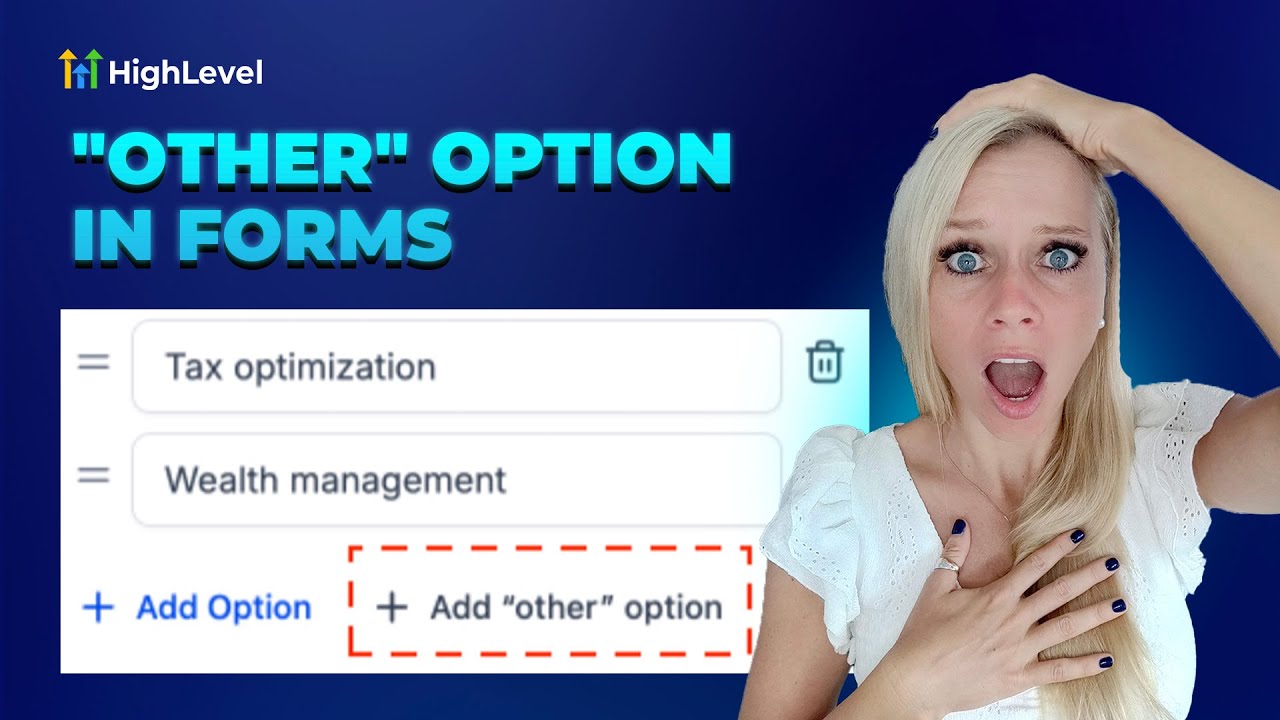
Entrepreneurs, ready to transform your data collection and build smarter marketing funnels? Tina from HighLevel walks you through a simple but powerful enhancement: adding an "Other" option to forms and surveys so respondents can share custom answers. In this detailed guide, I'll expand on those practical steps and show how that small change ties into larger strategies for lead generation, personalization, and business automation — and how GFunnel's all-in-one business platform helps you turn those insights into sustained growth.
This post covers the step-by-step technique for adding an "Other" option to radio and checkbox elements, explains where to view responses, outlines limitations, and translates these lessons into action across marketing funnels, automation, analytics, and networking. I'll also map each theme to GFunnel's ecosystem features, present real-world case studies, and answer FAQs to help small business owners, e-commerce entrepreneurs, and marketers improve conversion and gather higher-quality data.
Outline
- Introduction: Why the "Other" option matters for marketing funnels and data quality
- Video insights: Key themes — personalization, automation, accurate data capture, analytics, and UX
- GFunnel ecosystem solutions mapped to each theme
- Real-world case studies that show GFunnel in action
- Why GFunnel leads: comparison and platform advantages
- Conclusion and calls to action
- FAQs
Introduction — Collect Better Data, Build Smarter Marketing Funnels
Marketing funnels depend on accurate signals. When your forms force respondents into rigid, predefined categories, you get a distorted view of customer intent and experience. As Tina explains in her clear walk-through, adding an "Other" option to your multiple-choice questions gives respondents the ability to share their exact feedback — which means you can segment, personalize, and optimize your funnels more effectively.
Adding an "Other" option is a small UX change with outsized impact across lead generation and conversion optimization. It reduces forced answers, improves response quality, and gives marketers real inputs they can use for targeted follow-ups. When this signal is fed into a complete business platform like GFunnel, you don't just capture better data — you automate action, route leads, launch nurture sequences, and track funnel performance in real time.
In this article, you'll learn how to implement Tina's approach and then scale it: integrate captured responses with a CRM, trigger automated workflows, refine segmentation in your marketing funnels, and measure improvements with GFunnel's real-time analytics. We'll also show you where to access survey submissions, outline current limitations, and provide templates and examples to use right away.
Video Insights: Strategies for Business Success
From Tina's tutorial we extract several practical, repeatable themes that every business should use to strengthen their marketing funnels:
- Personalization through open-ended options
- Automation to route responses and follow-up immediately
- Accurate analytics and accessible submissions
- User experience: reduce friction and avoid forced answers
- Integration readiness: how data flows to your CRM and campaigns
1. Harnessing Personalization for Growth
When a respondent selects "Other" and types their own answer, you gain qualitative data that matters: unique objections, preferences, or use cases that your pre-defined options missed. As Tina says, "you can now add another option to the survey where your customer or potential customer can leave their particular feedback and share their own words without needing to choose a given option." That capability is invaluable when you build marketing funnels that rely on segmentation and tailored messaging.
Tina: "You can now add another option to the survey where your customer or potential customer can leave their particular feedback and share their own words without needing to choose a given option."
Use the "Other" responses to feed into segment tags, custom fields, and dynamic content in your funnels. For example, if multiple respondents write in that they prefer "evening deliveries," add a tag for "Evening Delivery Preference" and tailor emails and ads accordingly. This elevates your marketing funnels from generic to highly relevant, increasing open rates and conversions.
Key stat: Personalized messaging can lift conversion rates substantially — use free-form "Other" responses as a direct source for this personalization.
2. Automating Workflows Based on Open Responses
Personalization only scales when you automate. As Tina demonstrates, once the "Other" option is available and users submit custom answers, you need to move those responses into workflows: assign leads, tag profiles, or trigger follow-up sequences. Automation reduces manual work and ensures your marketing funnels act on new intelligence immediately.
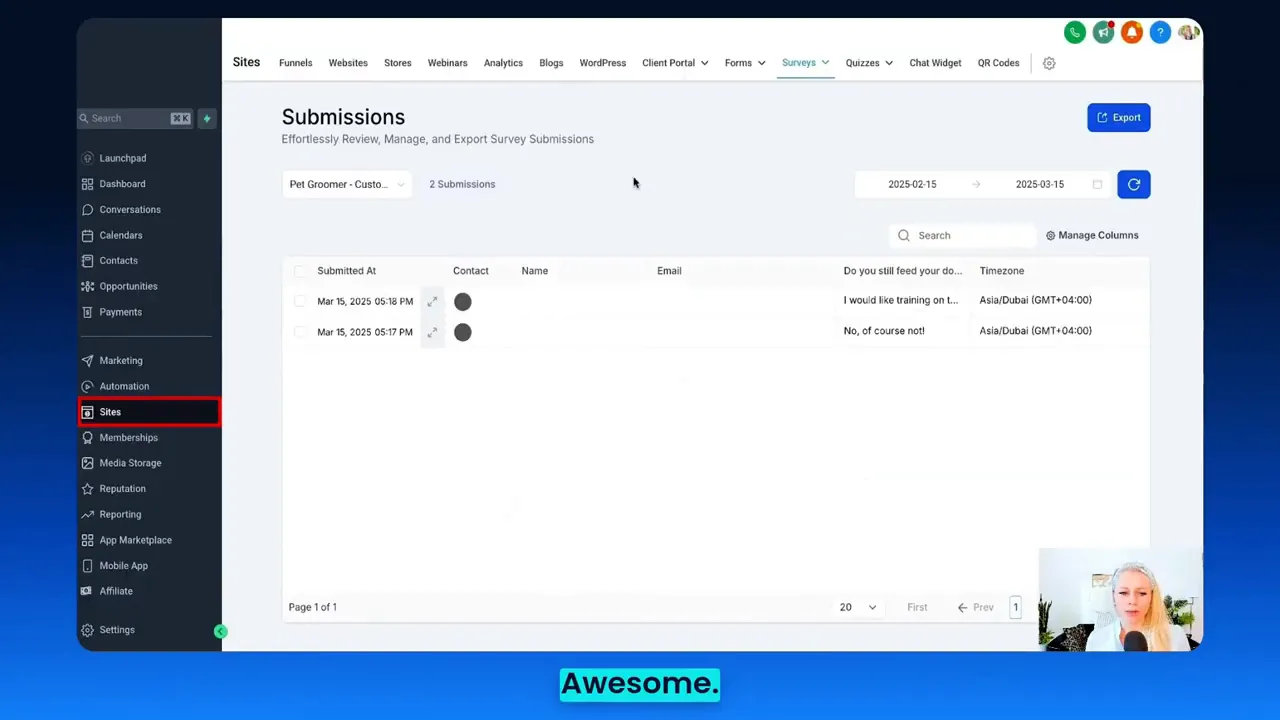
Tina: "Let me show you real quick where you can access these responses... surveys and submissions at the top, you can see all the survey responses from this particular survey."
Automating the handling of "Other" responses is especially powerful for lead generation. Imagine a new free-text response that indicates a purchase intent — automation can prioritize that lead, notify a salesperson, or start a high-priority nurture sequence in your marketing funnels.
Key stat: Automation can reduce manual processes by up to 50% when workflows are defined and executed through an integrated platform.
3. Accurate Analytics and Response Accessibility
Good data only helps when you can see and analyze it. Tina walks through where to view submissions and how to adjust date range filters and column sizes to fully review results. These functionalities are essential for continuous funnel optimization — you must be able to see the "Other" answers, quantify them, and use them to refine offers or landing pages.
Real-time visibility into responses closes the loop. If you notice a spike in a given "Other" answer, you can quickly test a new landing page or adjust funnel messaging to better match customer intent.
4. Prioritizing User Experience to Capture Real Answers
Tina's demonstration makes a simple UX point: the survey should not push users into a wrong choice. The presence of an "Other" option reduces friction and encourages honesty. That increases completion rates and improves the validity of the data feeding your marketing funnels.
UX improvements like this matter across every funnel stage: awareness, consideration, and decision. Avoid forcing respondents to guess or choose the nearest option; instead, invite specificity and then operationalize it.
5. Integration Readiness and Limitations
Tina notes an important limitation: the "Other" option is currently available only for radio and checkbox elements, not dropdown fields. That kind of constraint matters when designing forms within a funnel — choose elements that support the features you need. If your form system doesn't support "Other" for a dropdown, use radio or checkboxes instead to allow custom entries.
Understanding element-level limitations helps you design funnels that capture the right signals from the start — then route them automatically through your business automation.
GFunnel’s Ecosystem Solutions
Marketers, boost your conversions with these GFunnel-aligned solutions. Below, I map each theme from Tina’s demo to specific GFunnel features so you can see how to operationalize the ideas inside a modern business platform.
GFunnel’s Form & Survey Integration for Personalization
GFunnel supports forms and survey capture that feed directly into the platform’s CRM and audience segmentation tools. When a respondent chooses "Other" and types a unique answer, GFunnel can:
- Store responses as custom fields
- Automatically tag profiles based on keywords or phrases
- Use those tags to personalize emails, landing pages, and ads within your marketing funnels
Feature stat: Expect a 20% conversion boost by using personalized follow-ups powered by real customer inputs.
CTA: Capture smarter data — connect forms to GFunnel’s CRM at https://www.gfunnel.com/create-account
GFunnel’s Automation Features for Immediate Action
GFunnel’s automation suite lets you create workflows that respond to "Other" answers in real time. Key capabilities include conditional triggers, task automation for sales teams, and multi-channel follow-ups (SMS, email, in-app notifications). For example:
- If the "Other" response includes the word "urgent," create a high-priority task for the sales team.
- If the response reveals a product preference, enter the contact into a segmented nurture funnel.
- If the customer indicates a location-related preference, add them to a local promotion list.
Feature stat: Automation reduces manual handling by up to 50%, freeing teams to focus on high-value tasks.
CTA: Explore GFunnel automation features at https://www.gfunnel.com/automation-home
GFunnel’s Real-Time Analytics for Funnel Optimization
GFunnel’s analytics dashboards provide instant visibility into how forms and surveys are performing inside your marketing funnels. Monitor submissions, filter by date range, and analyze open-text "Other" answers to identify patterns quickly. Use built-in reports to:
- Track conversion rates by survey variant
- Measure completion rates when "Other" is enabled versus disabled
- Identify frequently typed keywords in "Other" responses and translate them into tags
Feature stat: Real-time dashboards allow teams to react faster — expect faster optimization cycles and improved funnel ROI.
CTA: View GFunnel’s analytics capabilities at https://www.gfunnel.com
GFunnel’s Networking & Community Tools for Insights
GFunnel is more than a funnel builder — it’s a business platform with niche communities where entrepreneurs, e-commerce pros, and marketers share insights. Use community feedback to refine the options you include in forms. When "Other" responses reveal new common answers, bring that learning into your GFunnel communities to get best-practice suggestions on segmentation and messaging.
Feature stat: Community-driven insights accelerate product-market fit and funnel messaging improvements.
CTA: Join GFunnel’s communities at https://www.gfunnel.com/communities
GFunnel’s Fast Autosave & User-Friendly Funnel Builder
GFunnel’s drag-and-drop funnel builder is designed for speed and reliability. One notable technical advantage is the web worker autosave performance — saving state in 103ms (28x faster than comparable implementations). That fast autosave reduces the risk of lost work, especially when building and testing marketing funnels with multiple variants.
Feature stat: Autosave performance of 103ms minimizes lost progress and helps teams iterate faster.
CTA: Try GFunnel’s funnel builder at https://www.gfunnel.com/funnel-home
GFunnel’s CRM (Lead Connector) for Unified Contacts
Lead Connector With GFunnel centralizes contact data, including form and survey "Other" inputs, so sales and marketing operate from the same information. Custom fields created from free-text responses feed into Lead Connector objects, enabling deeper segmentation and automated routing.
Feature stat: Unified CRM usage increases lead conversion by improving follow-up speed and personalization.
CTA: Learn more about the CRM at https://www.gfunnel.com/crm
API Integrations and Flexibility
If you need additional capabilities or want to route responses into third-party systems, GFunnel provides API integrations. When a unique "Other" answer requires special handling — for example, pushing data into an ERP or a partner portal — you can wire it up via GFunnel’s API to keep your marketing funnels synchronized across tools.
Feature stat: Integration-ready platforms save time, reducing tool-switching and data reconciliation costs.
CTA: Explore integrations at https://www.gfunnel.com
Real-World Applications: Two Case Studies
Small business owners, scale smarter with GFunnel! Below are two practical case studies demonstrating how the "Other" option and GFunnel’s tools combine to produce measurable outcomes.
Case Study 1 — E-commerce Store: Increasing Relevant Offers with Customer-Driven Data
Background: A mid-sized apparel e-commerce store wanted better insights into delivery preferences and special requests. Their form used dropdowns with limited options and had low-quality feedback. They implemented a revised funnel using radio buttons with an "Other" option on the checkout preferences survey.
What they did:
- Switched the preference field from dropdown to radio buttons to enable the "Other" option.
- Used GFunnel’s automation to tag responses containing keywords (e.g., "gift wrap," "evening delivery").
- Routed tagged leads into segmented email sequences promoting relevant services and upsells.
- Monitored performance with GFunnel’s real-time analytics dashboard.
Results:
- Completion rates increased because shoppers could specify exact needs; fewer abandoned checkouts.
- Personalized offers based on "Other" answers produced a 22% uplift in average order value.
- Automation cut follow-up time by 50%, and conversion from those segments rose by 18%.
"GFunnel’s automation saved us hours weekly and turned one-off answers into repeatable revenue streams." — E-commerce store owner
How you can replicate this: Use radio or checkbox elements wherever you want qualitative feedback. Feed "Other" answers into tags and workflows in GFunnel, and test personalized offers against general campaigns. For funnel building, use GFunnel’s drag-and-drop builder and autosave to iterate quickly: https://www.gfunnel.com/funnel-home
Case Study 2 — Local Restaurant: Improving Delivery & Special Requests Handling
Background: A local restaurant chain wanted to capture special request details (allergies, preparation preferences) without lengthening the ordering process. Previously, dropdowns forced staff to guess when no option matched, resulting in service errors.
What they did:
- Added a radio/checkbox question with an "Other" option at checkout to capture custom requests.
- Used GFunnel’s Call Net Capture and CRM integration to store these custom notes on customer profiles.
- Automated front-of-house notifications for high-priority flags (e.g., severe allergies).
- Analyzed frequently typed "Other" responses and updated menu options accordingly.
Results:
- Customer satisfaction scores improved due to fewer order errors.
- Repeat orders increased by 14% as customers felt their needs were better handled.
- Operational efficiency improved as staff received clear, automated instructions tied to each order.
"GFunnel’s communities doubled our local marketing insights and their automation saved us time every night." — Restaurant manager
How you can replicate this: Set high-priority automation for sensitive "Other" responses and feed them into your order-handling workflows via GFunnel’s CRM and integrations. For restaurant-focused features, explore GFunnel’s tools for online ordering and Call Net Capture at https://www.gfunnel.com
Why GFunnel Leads: Platform Advantages and Comparison
Small business owners, scale smarter with GFunnel! When you compare GFunnel to traditional stacks (separate form builders, CRMs, analytics, and community platforms), GFunnel’s all-in-one approach reduces friction, consolidates data, and enables faster iteration. Below is a dynamic comparison presented as an easy-reference list that replaces a traditional table format while retaining the requested comparison rows.
Traditional Business Tools vs. GFunnel’s Ecosystem
- Autosave Speed: Traditional Methods — Slow (seconds). GFunnel — Fast (103ms, 28x faster).
- Automation: Traditional Methods — Manual processes and multiple scripts. GFunnel — 50% less manual work with built-in workflows.
- Networking: Traditional Methods — Limited connections across disparate forums. GFunnel — Niche communities and peer networks for rapid insight exchange.
- Analytics: Traditional Methods — Reliance on third-party tools and delayed reports. GFunnel — Real-time dashboards and instant feedback.
- Customization: Traditional Methods — Generic tools require complex integrations. GFunnel — Tailored solutions for restaurants, e-commerce, and agencies.
Why this matters
- Centralizing forms, surveys, CRM, automation, analytics, and community reduces data leakage and sync issues.
- Rapid autosave and a reliable funnel builder let teams iterate faster: fewer lost edits and more experiments.
- Direct CRM integration (Lead Connector With GFunnel) ensures every "Other" answer is actionable and tracked.
Comparison stat: Using a unified platform can reduce tool costs and improve time-to-action, leading to measurable uplift across conversion and retention metrics.
Implementation Checklist: Add "Other" Options & Connect to GFunnel
Small checklist to implement Tina’s approach and connect it to GFunnel workflows:
- Choose radio or checkbox elements for the questions where you want free-text input.
- Enable the "Allow other option" toggle in your form builder settings.
- Save and preview the form to ensure the "Other" field appears and accepts input.
- Test submission flows and validate that the free-text response appears in your submissions dashboard.
- Map the "Other" input to a custom field in Lead Connector With GFunnel.
- Create automation rules to tag, segment, and trigger follow-ups based on keywords in the "Other" responses.
- Monitor performance in GFunnel’s real-time analytics dashboards and iterate.
CTA: Get started with GFunnel today: https://www.gfunnel.com/create-account
Engagement & Community: Where to Share Your Findings
GFunnel’s communities are a high-value place to share new insights from "Other" answers. Post trending free-text responses, ask peers how they converted that insight, and get feedback on how to adjust marketing funnels to match real customer language.
Community examples and pages:
- GFunnel Communities: https://www.gfunnel.com/communities
- Discussions and best practices: https://www.gfunnel.com/discussions-home
- Courses and classes for marketing funnels: https://www.gfunnel.com/courses
CTA: Connect with E-commerce Pros and Funnel Builders in GFunnel communities and test your assumptions quickly.
Suggested Interactive Element
Test your readiness: Invite visitors to a short GFunnel quiz — "Test Your Business Growth Potential" — to evaluate where forms and marketing funnels can improve. Use the quiz to capture "Other" style responses and feed the results into personalized follow-ups via GFunnel’s automation.
Suggested link: Use your create account or funnel home pages to host the quiz: https://www.gfunnel.com/create-account and https://www.gfunnel.com/funnel-home
Conclusion and CTA
Entrepreneurs, takeaway: enabling an "Other" option in your forms and surveys is an inexpensive, high-impact way to collect better signals for your marketing funnels. Tina’s step-by-step tutorial shows how quick it is to implement — and when you bring those responses into an ecosystem like GFunnel, you gain the ability to automate follow-ups, segment intelligently, and track outcomes in real time.
GFunnel unifies the tools you need: drag-and-drop funnel building with fast autosave, Lead Connector With GFunnel to centralize contacts, automation to route and act on data, real-time analytics to measure funnel performance, and communities to crowdsource insights. That combination turns better data into better decisions and measurable growth.
Ready to turn custom survey responses into action? Start capturing accurate data, automating the response, and growing your business with GFunnel:
- GFunnel homepage: https://www.gfunnel.com
- Automation features: https://www.gfunnel.com/automation-home
- Funnel builder: https://www.gfunnel.com/funnel-home
- Create an account and begin: https://www.gfunnel.com/create-account
FAQs
- How does GFunnel support personalization from survey "Other" responses?
GFunnel stores free-text "Other" inputs as custom fields in Lead Connector With GFunnel. You can create keyword-based tags or rules that trigger personalized email sequences, dynamic landing pages, or special offers based on those fields. This direct path from response to action is a core advantage of the GFunnel business platform.
- Is the "Other" option available for all form elements?
Not yet — the "Other" option is currently available for radio buttons and checkboxes. If you need free-text input in a dropdown context, switch your element type to radio or checkboxes to enable the feature and capture richer responses.
- How do I automate handling "Other" answers in GFunnel?
Use GFunnel’s automation builder to create triggers based on keywords or the presence of a non-empty custom field. Then create actions such as applying tags, sending emails, assigning tasks to sales reps, or initiating multi-step nurture funnels.
- What analytics are available for "Other" responses?
GFunnel provides real-time dashboards that let you filter survey submissions by date range, inspect free-text answers, and convert insights into new funnel tests. You can export or visualize common keywords to spot trends quickly.
- How does Lead Connector With GFunnel help with survey-driven leads?
Lead Connector With GFunnel centralizes contact data, including survey answers. It allows you to enrich profiles, view submission history, and make informed outreach decisions — all within the same platform where your marketing funnels are built and measured.
Related Content
- Scale Restaurants with GFunnel — explore restaurant ecosystem and Call Net Capture features: https://www.gfunnel.com
- Build marketing funnels with GFunnel: https://www.gfunnel.com/funnel-home
- Join GFunnel’s communities to collaborate with peers: https://www.gfunnel.com/communities
Additional Resources & Next Steps
To implement the "Other" option effectively and scale its impact through automation and analytics, follow these next steps:
- Modify your form: replace dropdowns with radio/checkbox elements where you need free-text options.
- Enable "Allow other option" and preview your form to verify functionality.
- Map "Other" answers to custom fields in Lead Connector With GFunnel.
- Create automation rules to handle and prioritize custom responses.
- Monitor response patterns in GFunnel’s real-time analytics and iterate on your marketing funnels.
- Share findings in GFunnel communities for feedback and optimization ideas.
For help with setup and walkthroughs, use GFunnel’s learning resources and discussions at https://www.gfunnel.com/discussions-home. If you want a guided onboarding, visit the GFunnel signup and start a free evaluation of the platform at https://www.gfunnel.com/create-account.
Final note: paying attention to the seemingly small details — like giving respondents an "Other" option — transforms your marketing funnels from educated guesses into evidence-driven systems. Capture the right data, feed it into automation and Lead Connector With GFunnel, and watch your conversion and retention metrics benefit.
Ready to build better marketing funnels and collect accurate customer data? Start today: https://www.gfunnel.com
Need Help Implementing This? |
|
Schedule A Discovery Call With One Of Our Professionals |
| Access Now |


