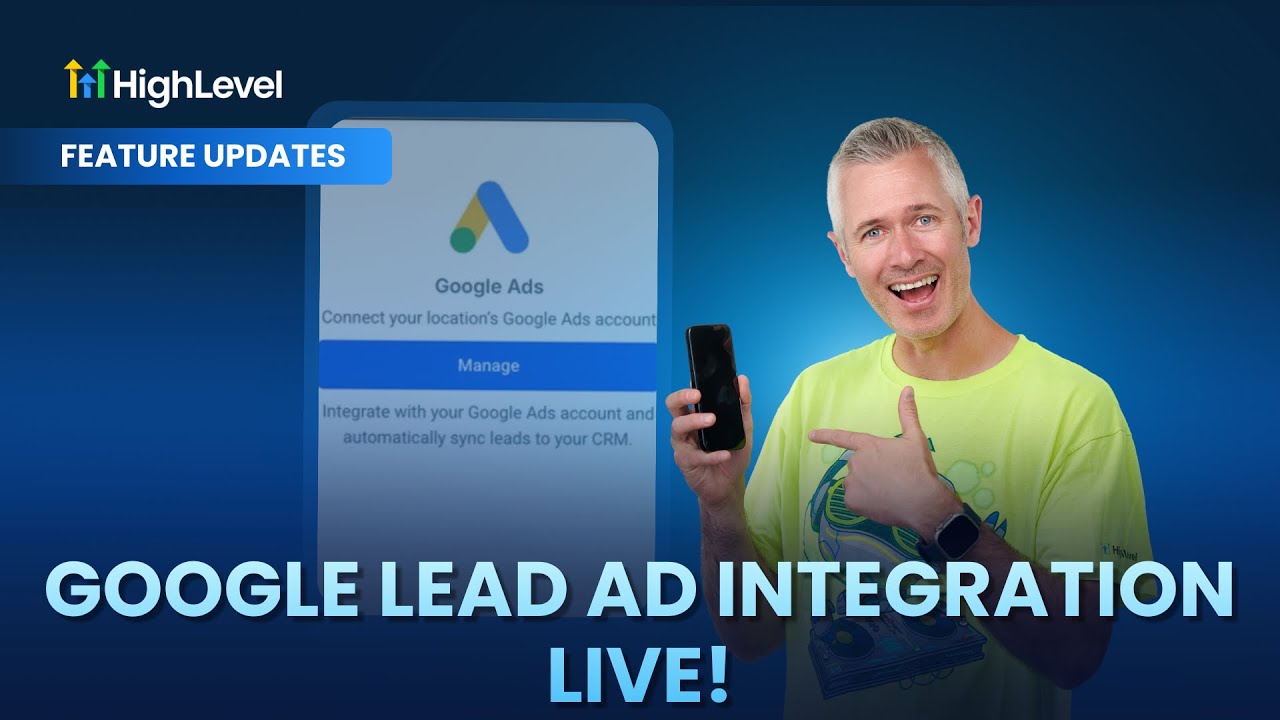
Entrepreneurs, ready to transform your business with marketing funnels and GFunnel?
Marketing funnels are the connective tissue between awareness and revenue. When combined with a unified business platform like GFunnel, marketing funnels stop being a collection of tools and become a coherent growth engine. Whether you are running an e-commerce store, a local restaurant, or a freelance agency, the right combination of lead capture, CRM syncing, workflow automation, and real-time analytics determines how fast you scale.
This guide explains how to turn simple lead capture into a high-performing funnel using modern integrations, intelligent mapping, and automated follow-up. It adapts practical insights about syncing lead ads and workflow triggers into actionable strategies you can use inside GFunnel. You will learn how seamless lead generation becomes the first step in an orchestrated system that nurtures prospects, measures outcomes, and connects you to a community of peers and mentors.
Key topics covered include
- Seamless lead capture and mapping from ad forms to CRM contacts.
- Automations and workflow triggers that respond instantly to new leads.
- Real-time analytics for optimizing funnel stages and conversion rates.
- Business networking and community features that accelerate growth.
GFunnel centralizes these capabilities into a single business platform so you can build marketing funnels that consistently convert and scale. If you want to build marketing funnels with GFunnel, this article will walk you through the strategy, the features that matter, and two real-world case studies that bring the ideas to life.
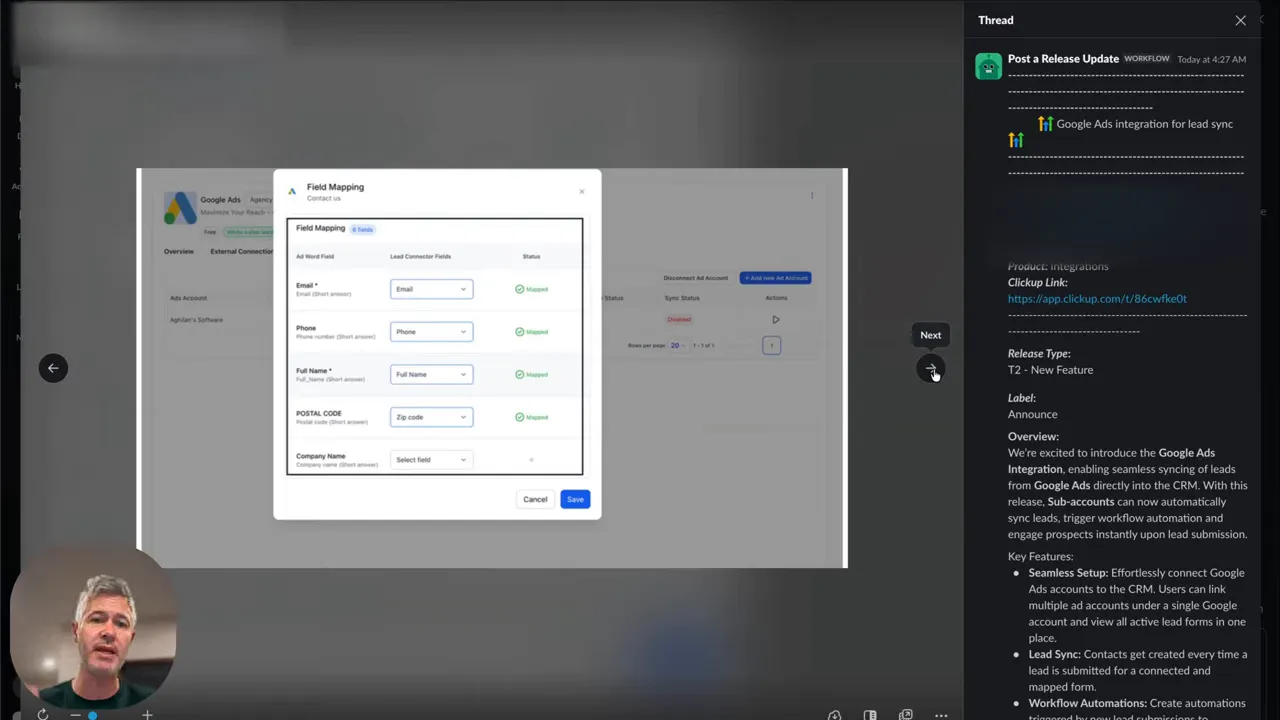
Video Insights: Strategies for Business Success
Harnessing Automation for Faster Response and Higher Conversions
Automation is no longer optional. Immediate follow-up is the biggest predictor of lead conversion. When a lead is captured from an ad form, the system should create a contact record automatically, enrich the profile, and kick off a personalized workflow. That sequence — capture, create, automate — reduces manual work and speeds response time.
[Shunt]: "When a new Google lead comes in, do this."
That idea captures two crucial realities: leads expect rapid, relevant responses, and automation is how you deliver them without burning staff hours. With automation in place, you can see measurable lifts in conversion and engagement because customers experience timely, consistent outreach.
Seamless Lead Capture: Map Data Where It Belongs
Lead capture is only useful if data lands in the right fields. Mapping ad form fields to CRM contact fields is the unsung hero of reliable funnels. Standard fields like email and phone are obvious, but postal codes, custom questions, and preferences must also be mapped to power segmentation and personalization downstream.
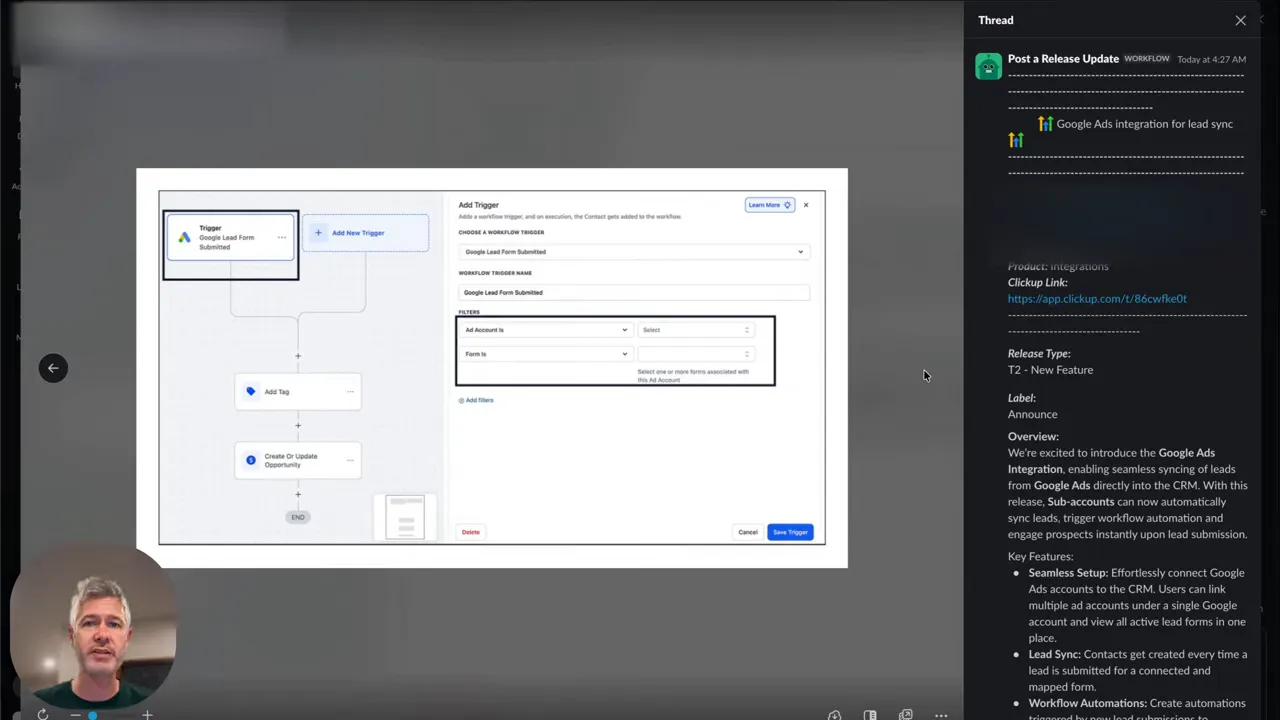
When lead data maps cleanly into contact records, you can trigger specific workflows, tag contacts for segmentation, and deliver personalized messages based on the answers they provided.
Personalization Through Data Mapping and Segmentation
Personalization starts with data structure. If you collect answers to targeted questions, map them to named fields in your CRM. Those fields become segmentation criteria for tailored email sequences, SMS messages, and dynamic content inside your marketing funnels. Personalization improves click-through rates, boosts conversion, and increases lifetime value.
Workflow Triggers: Convert Leads into Opportunities
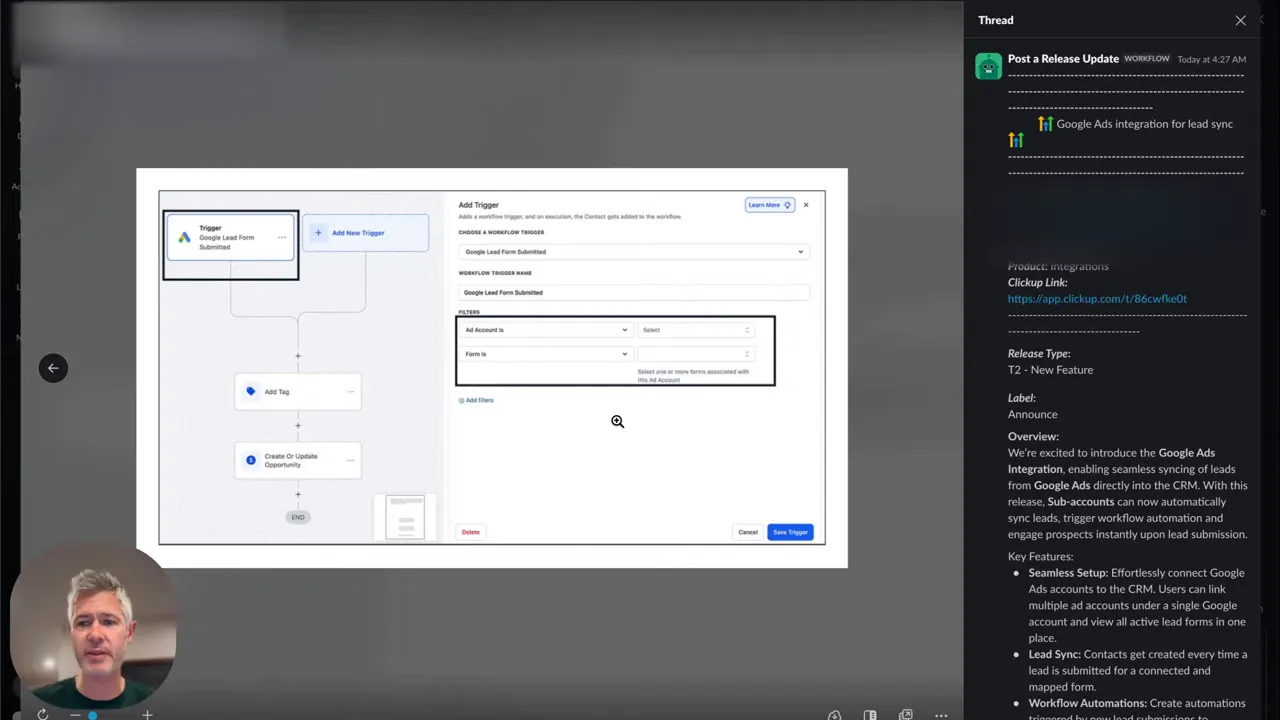
Every time a lead hits your CRM, a trigger can start a follow-up sequence. Triggers are the nervous system of modern marketing funnels. They allow you to:
- Send a welcome email within seconds.
- Assign hot leads to sales reps automatically.
- Start nurture streams for prospects that need time.
- Track conversion events and feed them into analytics.
[Shunt]: "So the idea is when a lead ad is submitted, we're going to create a contact inside a high level."
That simple workflow pattern — capture, create, trigger — is how marketing funnels produce consistent outcomes.
Selective Forms and Campaign-Level Workflows
Not all lead forms should trigger the same actions. Mapping and triggers enable granular control. You can select specific forms for distinct automations so that different campaigns have different follow-up paths. This approach supports multi-product strategies, local promotions, or segmented offers without manual filtering.
GFunnel’s Ecosystem Solutions
GFunnel’s Automation for Faster Conversions
GFunnel turns the automation insights above into turnkey capability. The automation engine minimizes repetitive tasks and accelerates response times so you close more leads with less manual effort.
- What it does: Automated contact creation, triggered email and SMS sequences, lead scoring, and task assignment.
- Impact stat: Up to 50% less manual work for follow-up processes.
- CTA: Join GFunnel’s automation features to cut manual effort and scale faster.
GFunnel’s Lead Capture and CRM for Seamless Mapping
GFunnel is not just a funnel builder. Its CRM acts as the central ledger for all lead data. When you connect ad forms or other capture sources, fields map directly to contact properties so your segmentation and personalization remain consistent.
- What it does: Map custom form fields to CRM contacts, sync leads instantly, and create tagged segments for campaigns.
- Impact stat: 20% conversion boost when leads are followed up correctly within the first 5 minutes.
- CTA: Start building marketing funnels with GFunnel’s CRM integration.
GFunnel’s Personalization Tools for Targeted Journeys
Personalization in your funnels is powered by the data you collect. GFunnel enables dynamic content, audience segmentation, and conditional workflows that tailor journeys based on contact fields.
- What it does: Audience segmentation, conditional emails, personalized landing pages, and tag-based automation.
- Impact stat: Personalization can increase conversions by up to 25% in targeted campaigns.
- CTA: Use GFunnel’s segmentation to send the right message to the right person.
GFunnel’s Real-Time Analytics Dashboard
Data without immediacy is outdated. GFunnel’s real-time analytics provide insight into funnel performance, engagement, and revenue as it happens. This is critical for making fast optimizations and allocating budget to top-performing campaigns.
- What it does: Live dashboards for conversion rates, funnel drop-off points, campaign ROI, and customer cohorts.
- Impact stat: Companies using real-time analytics see faster optimizations and a typical 15-20% uplift in ROI from quicker decisions.
- CTA: Track performance live with GFunnel’s dashboards and take immediate action.
GFunnel’s Business Networking and Communities
Growth is social. GFunnel’s niche communities connect entrepreneurs, e-commerce pros, and marketers to share strategies, collaborate, and find mentors. Business networking becomes an operational advantage when integrated into your platform.
- What it does: Niche groups, discussion boards, events, and mentor connections.
- Impact stat: Networking speeds learning curves and can reduce time-to-scale by up to 30% for new businesses.
- CTA: Connect with E-commerce Pros and other communities inside GFunnel’s network.
GFunnel’s Fast Autosave and Builder Experience
One of the unsung productivity features is autosave. GFunnel’s builder uses a web worker that drops autosave latency from 2.861 seconds to 103 milliseconds — a 28x faster experience. Fast autosave keeps you in flow while building marketing funnels and eliminates lost work.
- What it does: Rapid autosave ensures no design or content is lost and provides a smooth drag-and-drop experience.
- Impact stat: A faster builder translates to quicker iterations and shorter launch cycles.
- CTA: Try the GFunnel builder to experience the fast autosave advantage.
API Integrations and Flexibility
Not every business needs the same toolset. GFunnel offers integrations and APIs so you can connect third-party tools, ad platforms, and custom systems. For themes not directly matched by built-in features, GFunnel adapts through APIs and webhook support.
- What it does: Connect to ad platforms, payment processors, and analytics systems.
- Impact stat: Integration flexibility reduces platform gaps and accelerates implementation timelines by up to 40%.
- CTA: Connect your stack and build marketing funnels that work with existing tools.
Real-World Applications
E-commerce Store: Convert Cold Traffic into Repeat Buyers
Scenario: An online store selling specialty home goods invests in paid search campaigns and uses GFunnel to orchestrate the entire customer journey from ad click to repeat purchase.
Implementation steps
- Connect Google and social lead forms to GFunnel so all lead generation flows into the CRM.
- Map fields like email, phone, product interest, and discount eligibility into contact properties.
- Create a workflow that sends a personalized welcome email, a product demo video, and a timed discount offer.
- Use real-time analytics to identify drop-off pages and run A/B tests on landing pages inside the funnel builder.
- Add segmentation to re-engage customers who open emails but do not convert, and initiate cart abandonment flows for visitors who added items but did not check out.
Result: A typical e-commerce store using this flow can expect faster initial response, improved conversion rates, and better lifetime value through personalized follow-ups.
"GFunnel's automation saved us hours weekly and doubled our repeat purchase rate."
Restaurant: Local Lead Capture to Table Reservations
Scenario: A neighborhood restaurant uses local search ads and lead forms to capture reservation requests and special event interest.
Implementation steps
- Map reservation requests and party size to CRM fields so staff can prepare and personalize the experience.
- Trigger automatic confirmation messages with menu highlights and upsell offers (wine pairing, chef special).
- Use segmentation to invite customers to loyalty programs and upcoming events via SMS and email.
- Track conversions and reservation no-shows in real-time to optimize offers and timeslots.
Result: Reservations increase, no-shows decrease with timely reminders, and the restaurant builds a database for repeat business and targeted promotions.
"GFunnel’s communities doubled our sales! The local marketing tips and automation templates made setup fast."
Both case studies show how marketing funnels, when combined with a unified business platform, convert more effectively than disconnected tools. The combination of lead generation, mapping, automation, analytics, and networking creates compounding benefits.
Why GFunnel Leads
GFunnel is more than a funnel builder. It is an all-in-one business platform that unites marketing funnels, CRM, automation, networking, and e-commerce. The platform is designed for small business owners, e-commerce entrepreneurs, and marketers who want a single place to manage growth without stitching together multiple vendors.
Traditional Business Tools vs. GFunnel’s Ecosystem
Caption: Traditional Business Tools vs. GFunnel’s Ecosystem
- Autosave Speed
- Traditional Methods: Slow (seconds)
- GFunnel: Fast (103ms, 28x faster)
- Automation
- Traditional Methods: Manual processes
- GFunnel: 50% less manual work
- Networking
- Traditional Methods: Limited connections
- GFunnel: Niche communities and mentorship
- Analytics
- Traditional Methods: Third-party tools, delayed reporting
- GFunnel: Real-time dashboards and immediate optimization
- Business Flexibility
- Traditional Methods: Generic tools
- GFunnel: Tailored solutions for e-commerce, restaurants, and service businesses
GFunnel stands out because it reduces complexity and cost. Instead of paying separately for a funnel builder, a CRM, analytics, and community access, GFunnel bundles these capabilities into an integrated business platform focused on growth.
Comparison Highlights
- All-in-one vs. Point Solutions — GFunnel consolidates tools so teams move faster and lose less data.
- Speed and Productivity — The fast autosave reduces friction during creation and iteration.
- Community and Mentorship — Business networking inside the platform shortens learning curves.
- Affordability — Plans are designed for small businesses and scale as you grow.
Resources and Internal Pages
Explore GFunnel pages to get started
- GFunnel homepage: https://www.gfunnel.com — GFunnel’s networking tools and company overview.
- GFunnel automation features: https://www.gfunnel.com/automation-home — automation features and workflow capabilities.
- GFunnel funnel builder: https://www.gfunnel.com/funnel-home — Build marketing funnels with GFunnel’s drag-and-drop tools.
- GFunnel communities: https://www.gfunnel.com/communities — Join niche communities for entrepreneurs and e-commerce pros.
- Create an account: https://www.gfunnel.com/create-account — Get started and test your business growth potential.
- GFunnel CRM: https://www.gfunnel.com/crm — Manage contacts, map fields, and sync leads from ad platforms.
Conclusion and CTA
Small business owners, scale smarter with GFunnel. Marketing funnels are only as effective as the platform that runs them. GFunnel offers an integrated business platform where lead generation, mapping, workflow automation, personalization, and real-time analytics work together to accelerate growth. The fast autosave and builder experience cuts friction, while community networking and automation features compound your results.
If you want to build marketing funnels with GFunnel and automate business operations with GFunnel, start by creating an account and mapping your first lead source. Track performance in real time, join niche communities for best practices, and iterate quickly with the 103ms autosave advantage. Test your business growth potential with GFunnel's ecosystem and see how integrated tools outperform a set of disconnected vendors.
Ready to scale? Create an account at https://www.gfunnel.com/create-account and explore affordable plans at the pricing page to find a package that fits your growth stage.
FAQs
How does GFunnel support automation for marketing funnels?
GFunnel provides a full automation engine that creates contacts, triggers email and SMS sequences, assigns tasks to team members, and scores leads automatically. This reduces manual follow-up by up to 50% and improves response times, which boosts conversions.
What makes GFunnel more than a funnel builder?
GFunnel combines a drag-and-drop funnel builder with CRM, business automation, real-time analytics, e-commerce processing, and community networking. That makes it a complete business platform rather than a single-use tool.
Can GFunnel sync leads from ad platforms and map custom fields?
Yes. GFunnel supports integrations that sync leads from ad platforms and map form fields to CRM contact properties. This enables personalized workflows and segmentation based on custom answers.
What performance benefits does GFunnel offer for creators and enterprises?
GFunnel’s web worker-enabled builder provides a fast autosave at 103ms, 28x faster than older autosave speeds. Real-time analytics and community collaboration reduce iteration time and speed up business outcomes.
Which GFunnel resources help with learning and networking?
GFunnel has niche communities, discussion boards, events, and courses that connect entrepreneurs with mentors and peers. Visit https://www.gfunnel.com/communities and https://www.gfunnel.com/courses to get involved.
Need Help Implementing This? |
|
Schedule A Discovery Call With One Of Our Professionals |
| Access Now |
Related Topics
- Scale Restaurants with GFunnel — explore restaurant-focused tools and online ordering on GFunnel.
- Build marketing funnels with GFunnel — use the funnel builder and fast autosave to iterate faster.
- Automate business operations with GFunnel — visit automation features for workflow templates and integrations.


