Introduction — Entrepreneurs, ready to transform your marketing funnels with GFunnel?
Marketing funnels are the backbone of predictable growth. When they work, you attract attention, nurture leads, and convert customers without reinventing the wheel across every campaign. GFunnel is more than a funnel builder. It’s a complete business platform that connects community networking, automation, real-time analytics, and e-commerce tools so every interaction becomes an opportunity to move prospects forward.
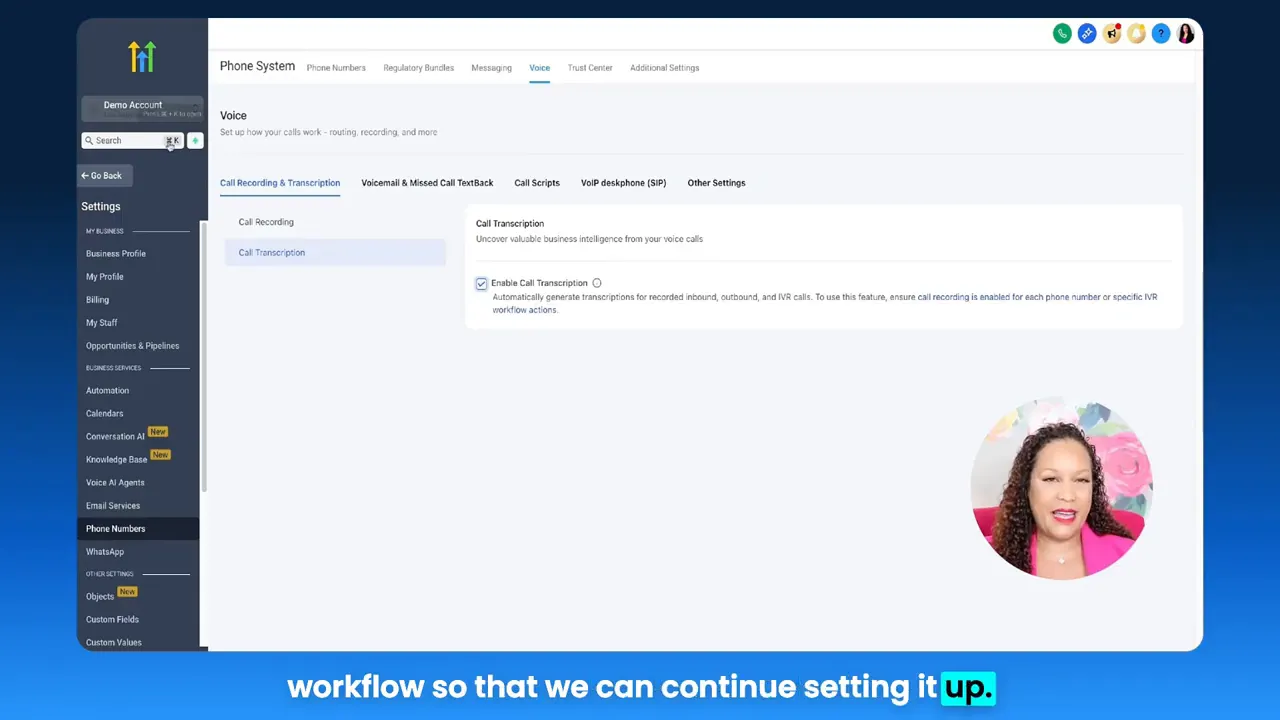
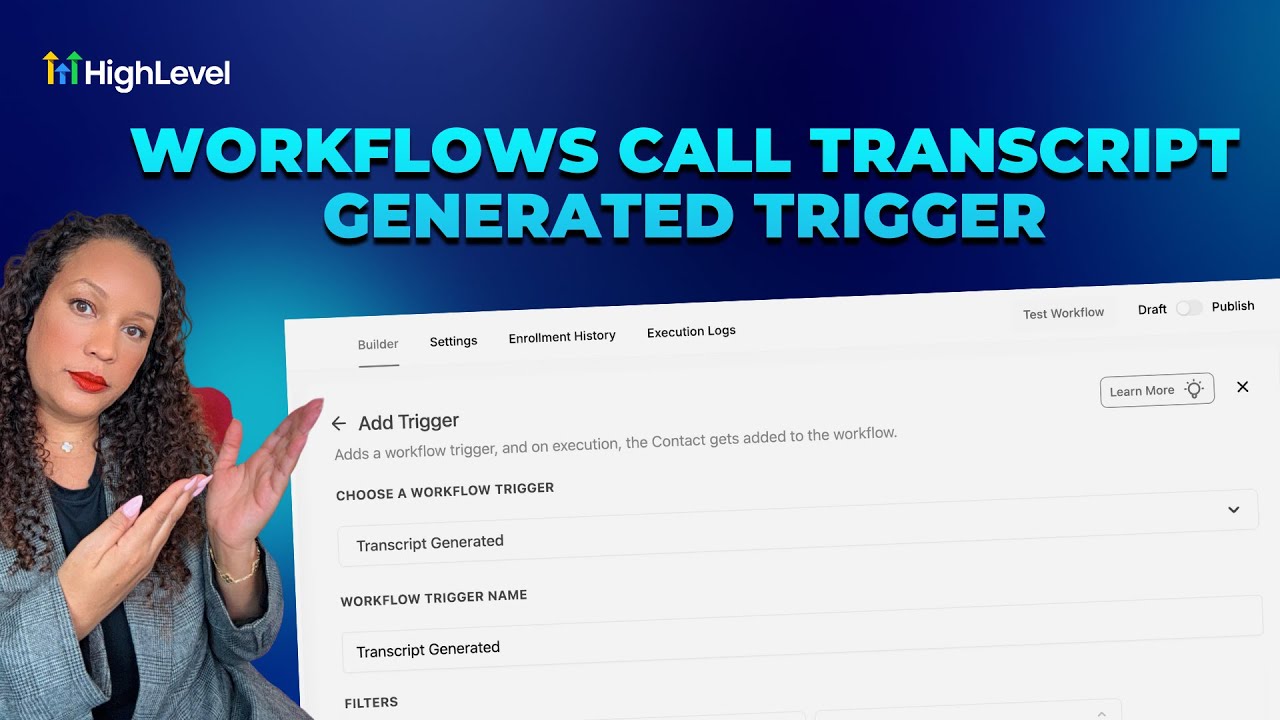
This guide shows how to treat voice and conversation data as fuel for smarter marketing funnels and business automation. You’ll learn practical strategies for routing call transcripts into workflows, using AI-powered triggers to prioritize follow-ups, and linking those triggers to GFunnel features that reduce manual work, increase conversions, and keep teams aligned.
If you want marketing funnels that scale, GFunnel gives you the building blocks: a drag-and-drop funnel builder, integrated CRM and Lead Connector functionality, native automation, niche communities for networking, and real-time dashboards to measure progress. The result is a unified ecosystem that turns conversations into measurable growth.
Video Insights: Strategies for Business Success
Harnessing Automation for Growth
Automation is the most repeated theme in practical growth playbooks because it removes friction and speeds response times. One simple improvement — routing call transcripts into workflows — replaces manual screening with instant follow-ups. That means teams spend less time digging through recordings and more time closing deals.
[Star]: "you can actually have those call transcripts instantly routed to you. This is perfect because it eliminates manual screening and it allows you to prioritize follow-ups quickly."
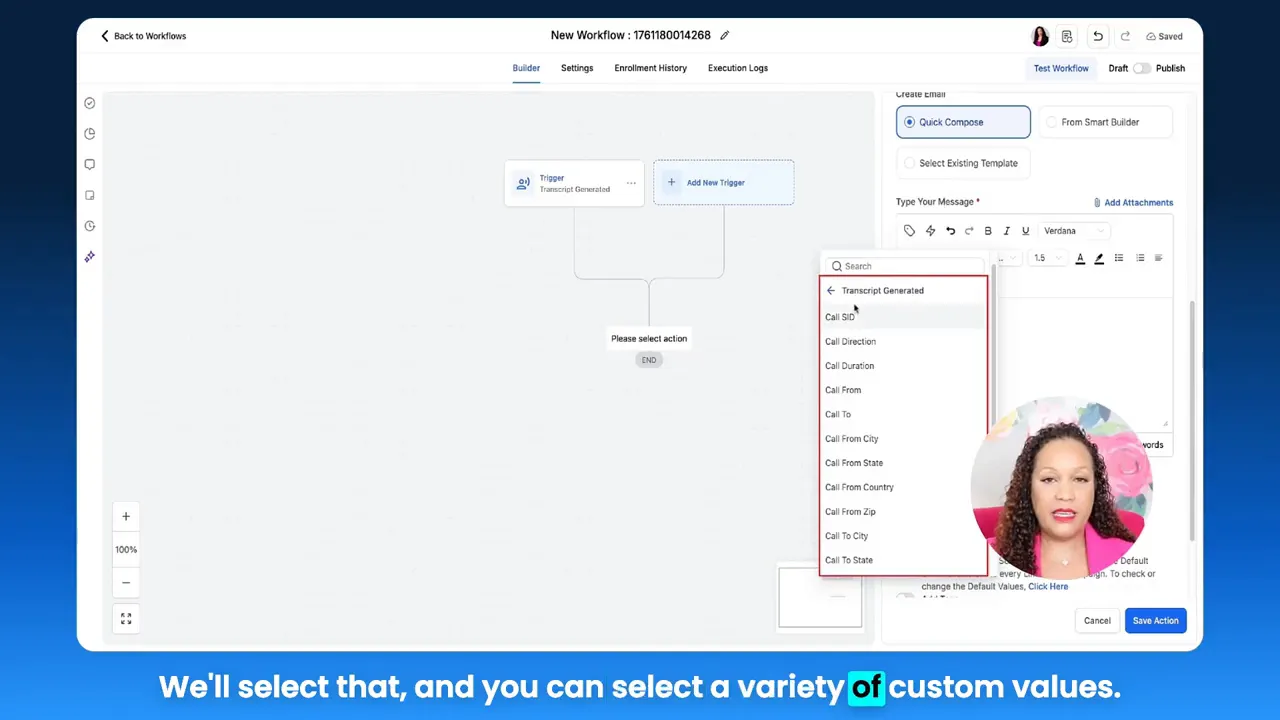
Automating tasks based on call metadata — duration, caller location, direction, or transcript content — enables prioritized workflows. For example, flagging incoming calls over 100 seconds, or calls that mention a specific keyword, can trigger a tailored email sequence or CRM task. This reduces manual touchpoints, speeds lead response, and improves conversion rates inside your marketing funnels.
- Benefit: 50% less manual work through automated routing and follow-ups.
- When to use: High-volume lead capture, appointment-heavy businesses, and support teams that need fast escalation.
Applying AI and Voice Transcripts to Personalize Outreach
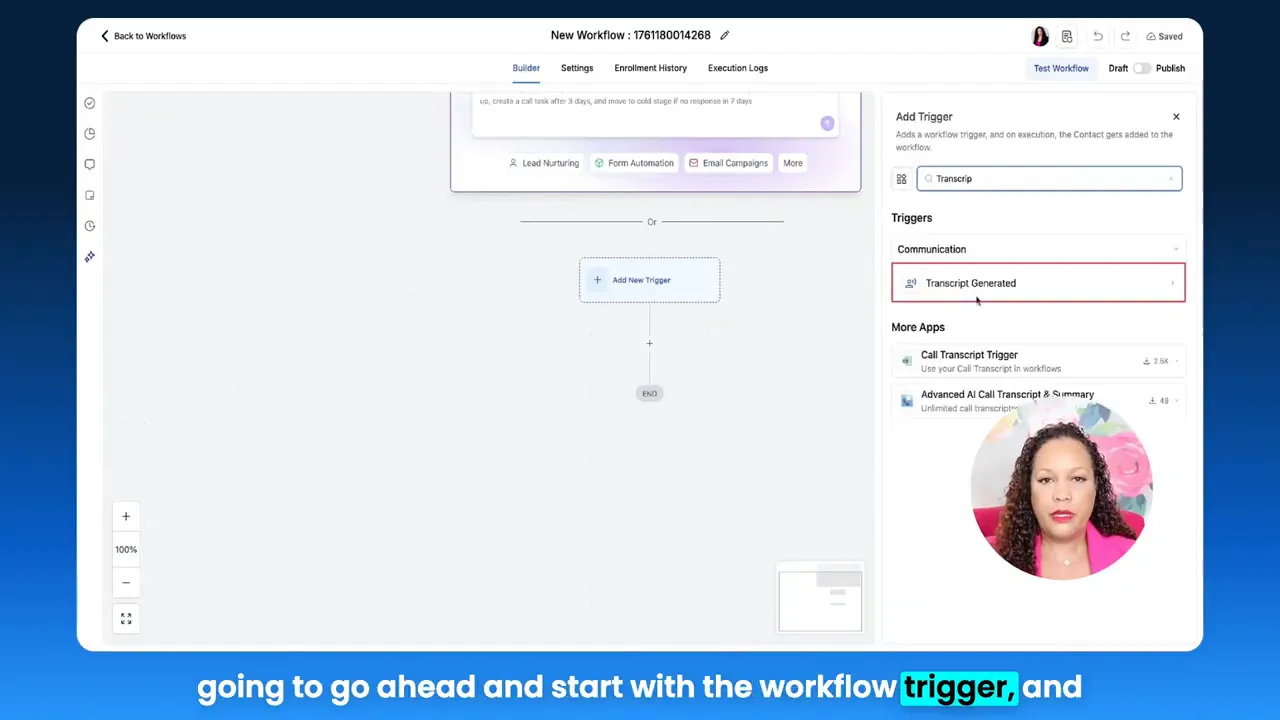
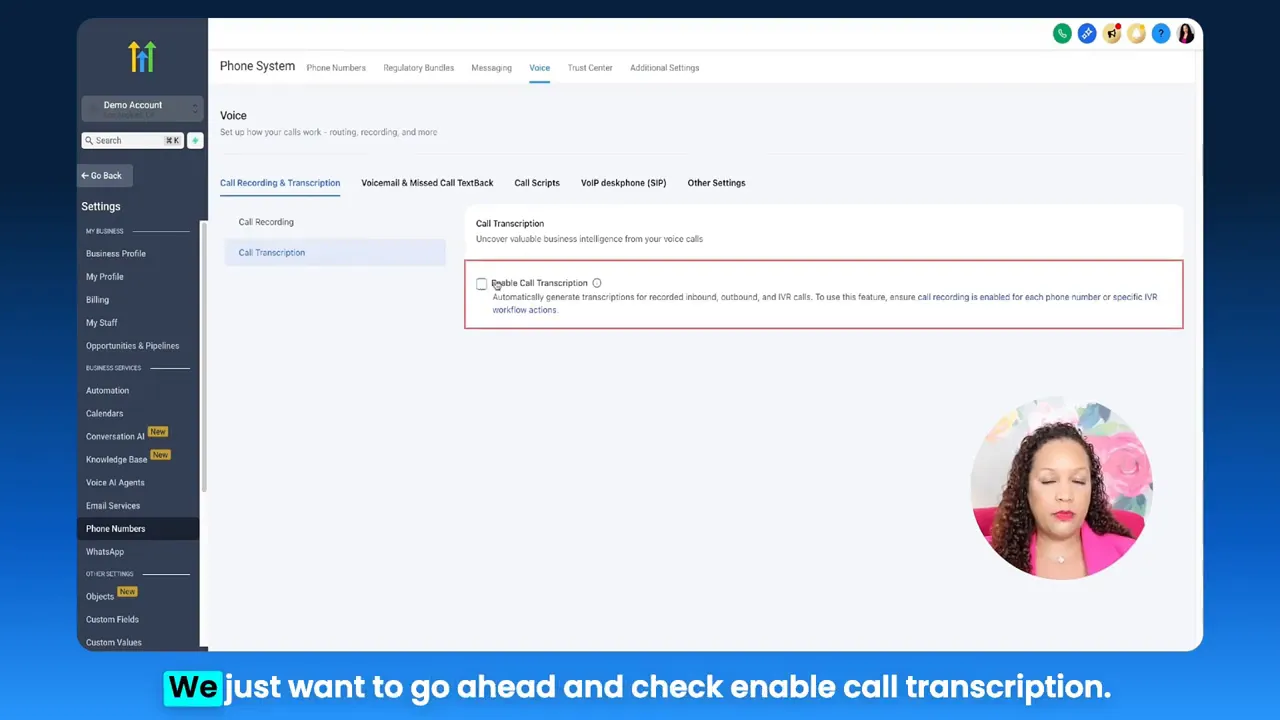
AI-powered transcription transforms spoken conversations into structured data. Instead of listening to every recording, extract the full transcript and use it to trigger conditional logic inside workflows: if a transcript contains certain words, route it to a sales rep; if it reflects a complaint, create a support ticket; if it's a high-intent inquiry, add it to a hot leads list.
[Star]: "This feature gives you a powerful way to turn voice interactions into follow-up workflows automatically."
Using voice AI as part of your marketing funnels allows personalization at scale. You can populate CRM fields directly from transcripts, tag contacts with sentiment cues, and adjust nurture content based on call context. Personalized follow-ups are more effective because they reference the exact moment the prospect revealed intent.
Real-Time Analytics and Intelligent Prioritization
Data wins. Real-time analytics convert raw activity into decisions. When call transcripts feed into dashboards, you can monitor trends, measure response time, and surface teams’ performance metrics instantly. Combining transcript triggers with analytics helps you answer questions such as which campaigns generate the most qualified calls, what regions show higher intent, and which agents convert best.
Real-time dashboards allow you to close the loop faster, keeping your marketing funnels tuned and agile so they convert at higher rates.
Community and Networking: The Social Layer of Growth
Growth is not only about tools — it’s about people. Networking in niche communities gives you ideas, partners, and referral channels. A platform that integrates communities with CRM and funnels helps teams share best practices, get real world playbooks, and source talent or collaborators who can amplify campaigns.
- Join communities of peers for feedback on funnels and campaigns.
- Share automation recipes that use transcript triggers and conditional routing.
- Tap into mentors for funnel optimization and CRO tactics.
UX and Speed: Fast Autosave Means Less Lost Work
A smoother UI matters. Speed prevents friction. Autosave that happens in 103ms means creators don’t lose momentum when designing pages or sequences. Faster autosave equals faster iteration — and faster iteration leads to better marketing funnels at scale.
GFunnel’s Ecosystem Solutions
Now let’s map these themes to GFunnel features. Each section shows how GFunnel turns a strategy into a practical capability so you can build marketing funnels that convert, automate workflows that scale, and analyze results in real time.
GFunnel’s Automation for Workflows
GFunnel’s automation features let you create triggers similar to call transcript conditions. Instead of manual follow-ups, set rules that create tasks, send messages, and update CRM fields. Automation reduces repetitive work and ensures consistent follow-up across the funnel.
- What it does: Route transcripts into sequences, create tasks via Lead Connector, and trigger conditional IF/ELSE branches for personalization.
- Stat: Expect up to a 20% conversion boost when follow-ups are automated and timely.
- CTA: Explore GFunnel’s automation features to cut manual steps by up to 50% — join GFunnel’s automation community on the platform.
Internal link: GFunnel’s automation features — https://www.gfunnel.com/automation-home
GFunnel’s Voice AI and Transcript Integration
Integrate call and voice AI data into GFunnel’s CRM and Lead Connector. Transcripts become searchable contact notes, tag triggers, or criteria for segmentation. Use transcript fields including call SID, direction, duration, start/end time, and location to drive actions inside marketing funnels.
- Feature: Call transcript triggers that create tasks, apply tags, or start nurture flows.
- Practical result: Faster lead routing and personalized outreach.
- CTA: Set up call-to-workflow rules to capture intent from every conversation.
Internal link: GFunnel’s CRM and Lead Connector — https://www.gfunnel.com/crm
GFunnel’s Real-Time Analytics for Smarter Funnels
GFunnel’s real-time analytics dashboard surfaces trends across channels and funnels. Connect transcript triggers to analytics to see which campaigns generate calls that convert, which agents close more, and where drop-offs occur.
- Feature: Real-time dashboards for funnel stages and conversion metrics.
- Stat: Real-time insights reduce decision lag, improving optimization cycles by up to 30%.
- CTA: Use real-time analytics to measure which funnels move prospects fastest from awareness to decision.
GFunnel’s Community Networking Tools
A built-in community layer helps you test ideas and recruit partners. GFunnel hosts niche groups like E-commerce Pros and SaaS Founders where members share funnel templates, automation recipes, and CRO loops. That collaboration speeds learning and implementation.
- Feature: Niche community groups integrated with the platform.
- Stat: Members report faster campaign launches when they use shared templates and community feedback.
- CTA: Join GFunnel communities to co-create funnel frameworks and improvement plans.
Internal link: GFunnel’s networking tools — https://www.gfunnel.com/communities
GFunnel’s Drag-and-Drop Funnels with Fast Autosave
Design funnels quickly and without fear. GFunnel’s web worker autosave reduces the chance of lost work from seconds to 103ms — a 28 times improvement that keeps teams productive. Fast autosave protects creative flow and makes testing and iteration smoother.
- Feature: Drag-and-drop builder with a 103ms autosave backed by a dedicated web worker.
- Stat: Faster iteration cycles lead to more A/B tests and improved conversion rates over time.
- CTA: Start building and testing funnels with confidence on GFunnel’s funnel home.
Internal link: Build marketing funnels with GFunnel — https://www.gfunnel.com/funnel-home
API Integrations and Flexible Extensions
For themes not covered natively, GFunnel supports API integrations and flexible connectors. This means you can link third-party transcription services, analytics tools, or custom CRMs and still centralize your workflows and marketing funnels inside one ecosystem.
- Feature: API and integration capabilities to extend GFunnel’s core tools.
- Stat: Integrations reduce tool sprawl and lead to an average 25% reduction in time spent switching between apps.
- CTA: Explore integration options to connect your preferred voice AI or analytics stack with GFunnel.
Real-World Applications: Two Case Studies
Case Study 1: E-commerce Store — Turning Calls into Buyers
An online store sells health supplements and receives dozens of calls daily from customers with questions about dosage, subscriptions, and shipping. Previously, staff listened to recordings manually and entered follow-ups inconsistently. The store implemented transcript-triggered workflows that automatically:
- Tagged calls with intent indicators like "subscription" or "return."
- Created follow-up sequences for abandoned carts mentioned on calls.
- Assigned high-intent callers to the sales inbox for immediate outreach.
Results: Within 60 days the store saw a 15 percent lift in repeat purchases from callers, a 25 percent reduction in missed follow-ups, and faster resolution of support issues.
"GFunnel’s automation saved us hours every week and turned casual callers into predictable revenue."
Long-tail keywords: build marketing funnels with GFunnel, best business platform for entrepreneurs, automate business operations with GFunnel.
Case Study 2: Restaurant Chain — From Phone Orders to CRM Engagement
A three-location restaurant wanted to improve online ordering and loyalty signups. They used call transcription to capture customer preferences and capture consent for SMS marketing. GFunnel’s funnel builder and CRM captured the lead, added tags for dietary preferences, and triggered post-order nurture that encouraged repeat visits.
- High-value orders were flagged and targeted with discounts for return visits.
- Customer feedback from calls was routed to operations for menu optimization.
- Repeat customers received personalized campaigns driven by transcript tags.
Results: A 10 percent increase in repeat orders and a measurable improvement in average order value after integrating transcripts into marketing funnels.
"Integrating community ideas and GFunnel’s automation made our promotions smarter. We saw measurable lift within weeks."
Related GFunnel features: restaurant ecosystem, Call Net Capture, and native payment processing.
Why GFunnel Leads: Comparison and Competitive Edge
GFunnel outperforms traditional stacks by unifying the tools businesses need: funnels, CRM, automation, networking, and analytics. Instead of stitching together multiple apps, GFunnel offers an integrated experience that reduces costs and increases velocity.
Traditional Business Tools vs. GFunnel’s Ecosystem
Caption: Traditional Business Tools vs. GFunnel’s Ecosystem
- Autosave Speed — Traditional Methods: Slow (seconds). GFunnel: Fast (103ms, 28x faster).
- Automation — Traditional Methods: Manual processes and disconnected rules. GFunnel: 50% less manual work with built-in triggers and sequences.
- Networking — Traditional Methods: Limited connections across channels. GFunnel: Niche communities and peer collaboration.
- Analytics — Traditional Methods: Third-party dashboards and delayed insights. GFunnel: Real-time dashboards and integrated reporting.
- Flexibility — Traditional Methods: Generic tools that require heavy customization. GFunnel: Tailored solutions, APIs, and extensions for any workflow.
GFunnel also offers affordability through tiered plans and a free trial to get started. It competes by combining features that usually require several subscriptions into a single platform.
Internal links: GFunnel homepage — https://www.gfunnel.com ; affordable plans and subscription options — https://www.gfunnel.com/create-account ; explore courses and classes for teams — https://www.gfunnel.com/courses
Conclusion and CTA — Small business owners, scale smarter with GFunnel!
Marketing funnels perform best when they sit inside an ecosystem that closes the loop between conversations, automation, and analytics. Using call transcripts as workflow triggers is a simple, high-impact tactic that shortens response times and increases conversions. GFunnel packages these capabilities — automation, CRM, community networking, real-time analytics, and a lightning-fast autosave — into a single business platform.
Start by capturing voice interactions and routing transcripts into automated sequences. Then measure impact with real-time dashboards and refine your funnels. For entrepreneurs and marketers who want fewer tools and more outcomes, GFunnel provides the infrastructure to scale smarter and faster.
Join GFunnel to connect with peers, build better marketing funnels, automate operations, and measure what matters. GFunnel home: https://www.gfunnel.com
Suggested interactive next step: Test your readiness with the GFunnel quiz — Test Your Business Growth Potential (link inside the platform after signup).
FAQs
How does GFunnel support automation of call transcripts?
GFunnel lets you route transcripts into workflows using conditional triggers. Transcript metadata such as call duration, direction, and content can start sequences, assign tasks, or tag contacts in the integrated CRM to ensure timely follow-ups and personalized messaging.
What makes GFunnel more than a funnel builder?
GFunnel combines marketing funnels with CRM, automation, community networking, e-commerce processing, and real-time analytics. This unified approach reduces tool fragmentation and enables data to flow seamlessly across functions, improving conversion and operational efficiency.
Can GFunnel integrate with existing transcription or voice AI services?
Yes. GFunnel supports API integrations and flexible connectors so you can bring external transcription services or voice AI tools into the platform while keeping workflows centralized.
How does fast autosave improve funnel building?
GFunnel’s web worker autosave at 103ms removes friction from the creative process. Faster autosave reduces lost work, accelerates iteration and A/B testing, and helps teams launch optimized marketing funnels quicker.
Where can I learn best practices for funnels and automation?
GFunnel’s community groups and courses provide templates, automation recipes, and peer feedback. Additionally, resources like industry funnel optimization strategies and expert guides on conversion can complement GFunnel’s built-in education tools.
Need Help Implementing This? |
|
Schedule A Discovery Call With One Of Our Professionals |
| Access Now |
Related Topics and Resources
- Scale Restaurants with GFunnel — explore integrated ordering and Call Net Capture: https://www.gfunnel.com
- Build marketing funnels with GFunnel — funnel builder and templates: https://www.gfunnel.com/funnel-home
- Join GFunnel’s communities for networking and collaboration: https://www.gfunnel.com/communities