
Entrepreneurs, ready to transform your marketing funnels into a growth engine? Combining the power of Lead Connector With GFunnel and an all-in-one business platform gives you the tools to design consistent landing pages, automate follow-up, capture leads, and analyze performance in real time. Marketing funnels are no longer isolated landing pages and email sequences; they are living systems that require repeatable design elements, rapid iteration, community insights, and automation that saves time and scales results.
This guide shows how to convert element-level design discipline into scalable funnel systems, and how GFunnel elevates that process beyond a simple funnel builder. You will learn practical strategies for consistent design, automation, analytics, and networking. You will also see how Lead Connector With GFunnel fits into a unified workflow that reduces manual work, improves conversion, and keeps teams aligned on brand and performance.
Outline
- Why consistent elements matter for marketing funnels
- Key themes for business growth: automation, consistency, analytics, and networking
- GFunnel solutions mapped to each theme
- Real-world case studies: e-commerce and restaurant
- Why GFunnel leads vs traditional tools
- Actionable next steps and FAQs
Why consistent elements matter for marketing funnels
Marketing funnels succeed when every touchpoint feels intentional. Elements like buttons, headlines, images, and forms drive not just aesthetics but conversions. Small inconsistencies—different CTA colors, varied button sizes, or mismatched spacing—erode trust and dilute metrics that matter. When teams rebuild the same button or header for each funnel, two problems appear:
- Time waste — designers and marketers redo work instead of testing and iterating.
- Brand drift — inconsistent elements lead to a fragmented customer experience across funnels and channels.
Saving and reusing elements at the account level fixes both issues. A single source of truth for CTAs and sections ensures that when you optimize one call to action, the improvement propagates across campaigns. This approach creates faster builds, consistent testing, and unified analytics.
Video Insights: Strategies for Business Success
Marketers, boost your conversions with these strategies that turn design discipline into measurable outcomes. From the transcript-style example at the start, several themes emerge. The following sections identify and expand on those themes, with actionable recommendations and quotes that capture the core ideas.
Harnessing Automation to Save Time and Scale
Automation is the backbone of modern marketing funnels. When repetitive tasks—like deploying CTAs across pages or routing leads—are automated, small teams can run more campaigns and scale faster without sacrificing consistency.
HighLevel: "This is perfect for keeping your designs consistent, speeding up your builds, and making sure that every page stays on brand without starting from scratch."
Apply automation to both design and operations. Use element templates or universal templates to push design changes globally. Pair those templates with automated workflows that assign follow-up, trigger email sequences, or update CRM records when visitors click those CTAs.
Stats to know:
- 50% less manual work on repeated tasks when automation is applied to funnel operations.
- 20% conversion boost often comes from consistent CTAs and optimized follow-up sequences that automation enables.
Design Consistency: Small Elements, Big Impact
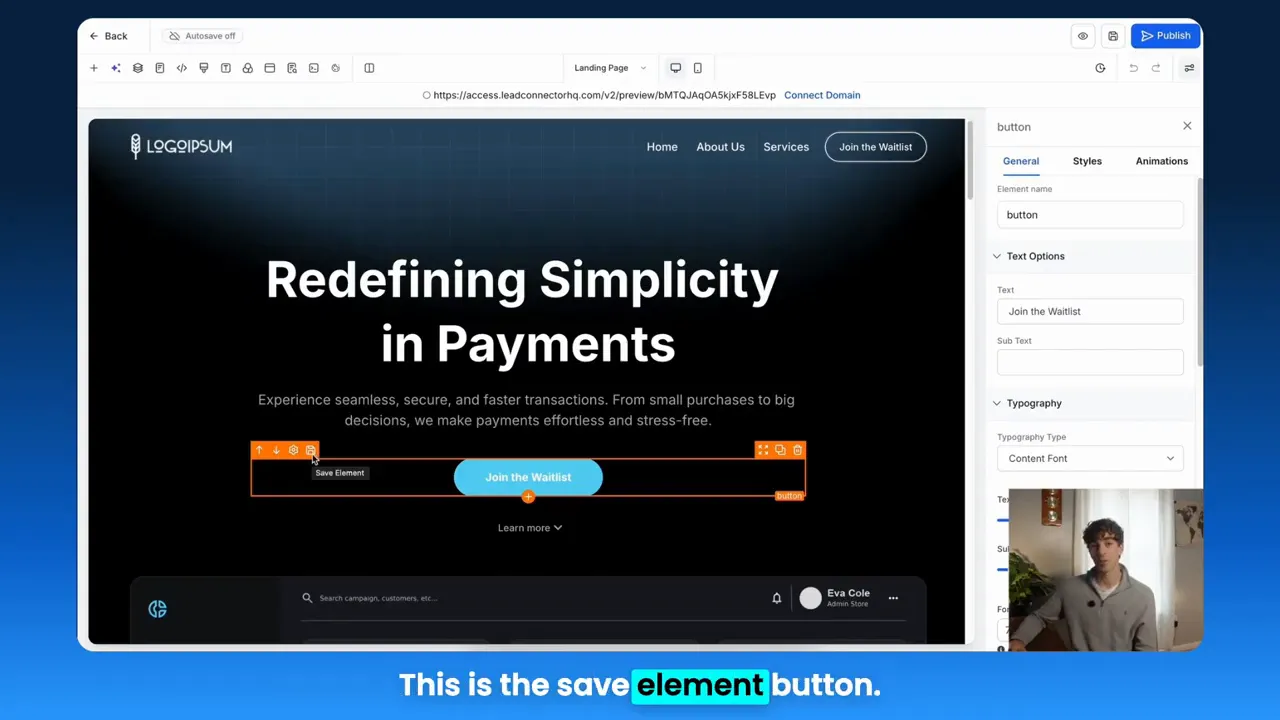
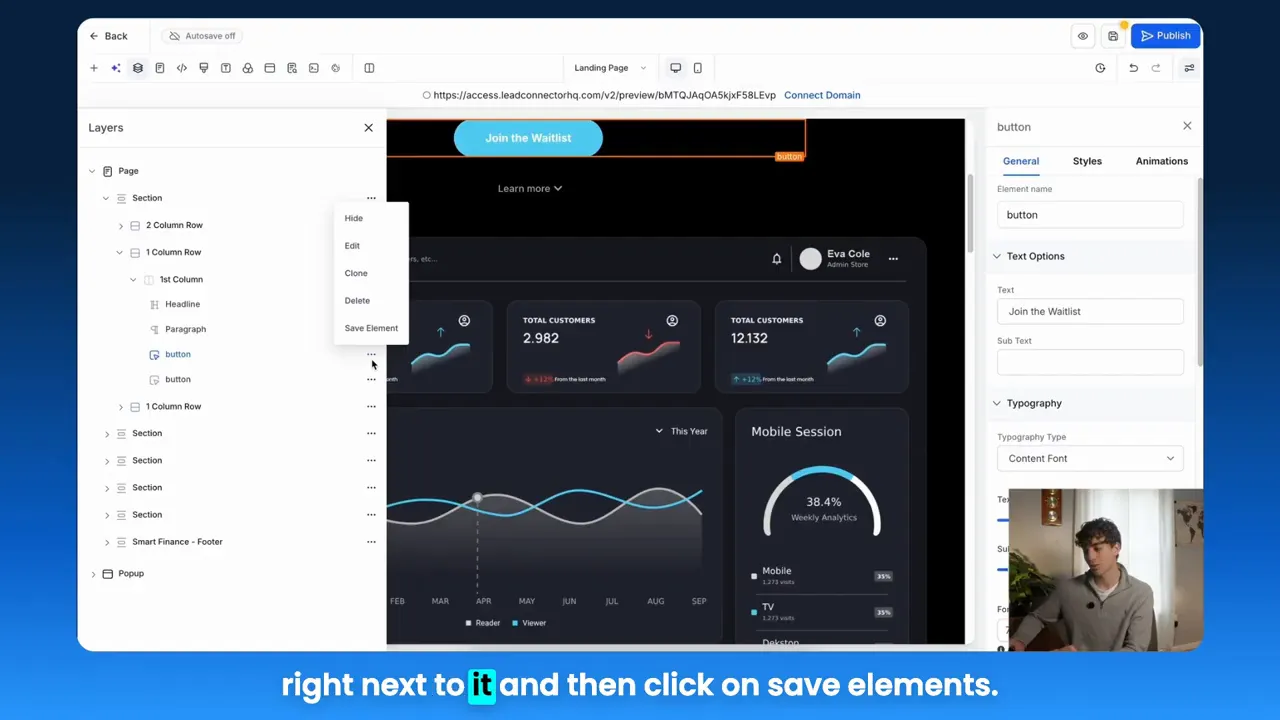
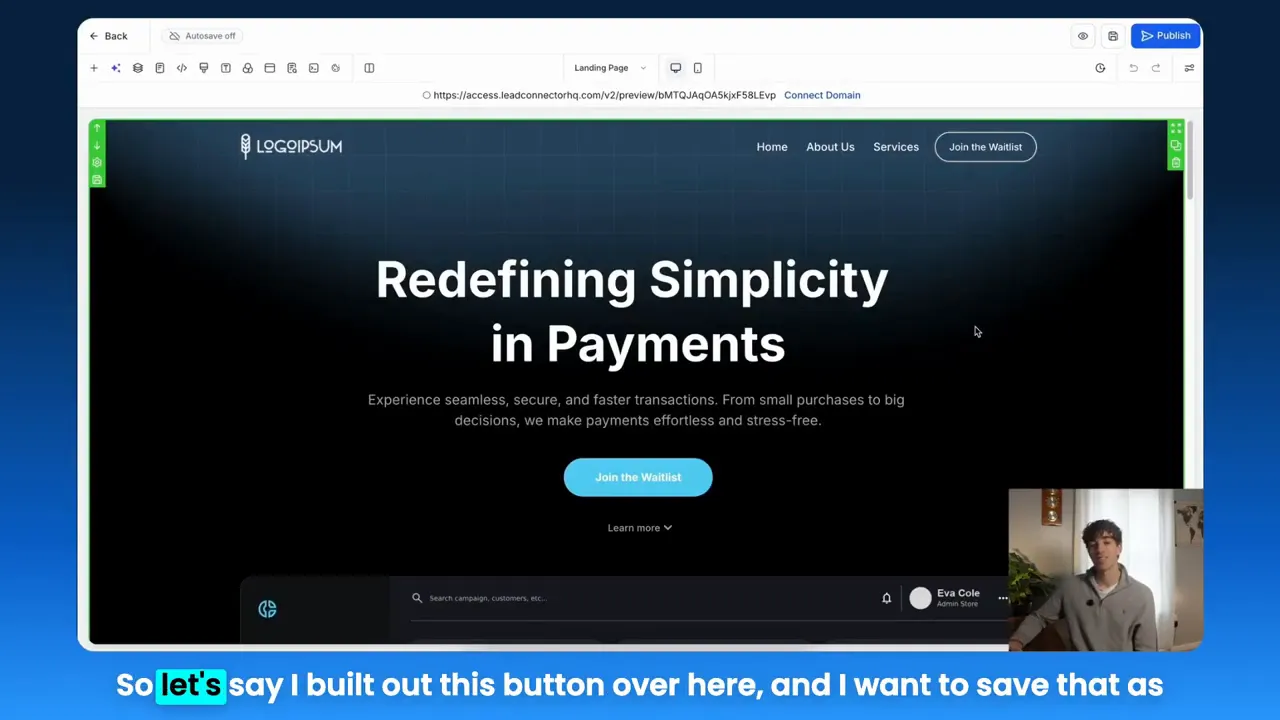
Every button, headline, and image is a conversion lever. Saving elements as reusable templates, then dropping them into new funnels, reduces build time and preserves brand. Two template types become useful:
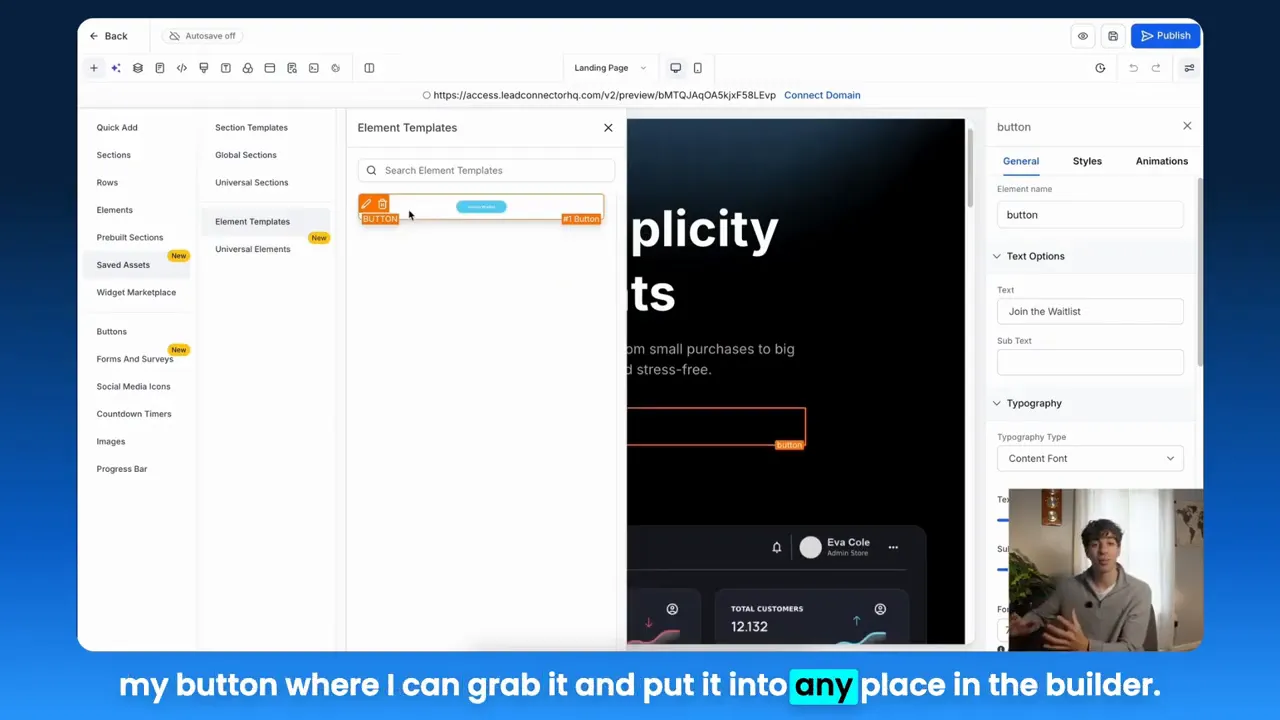
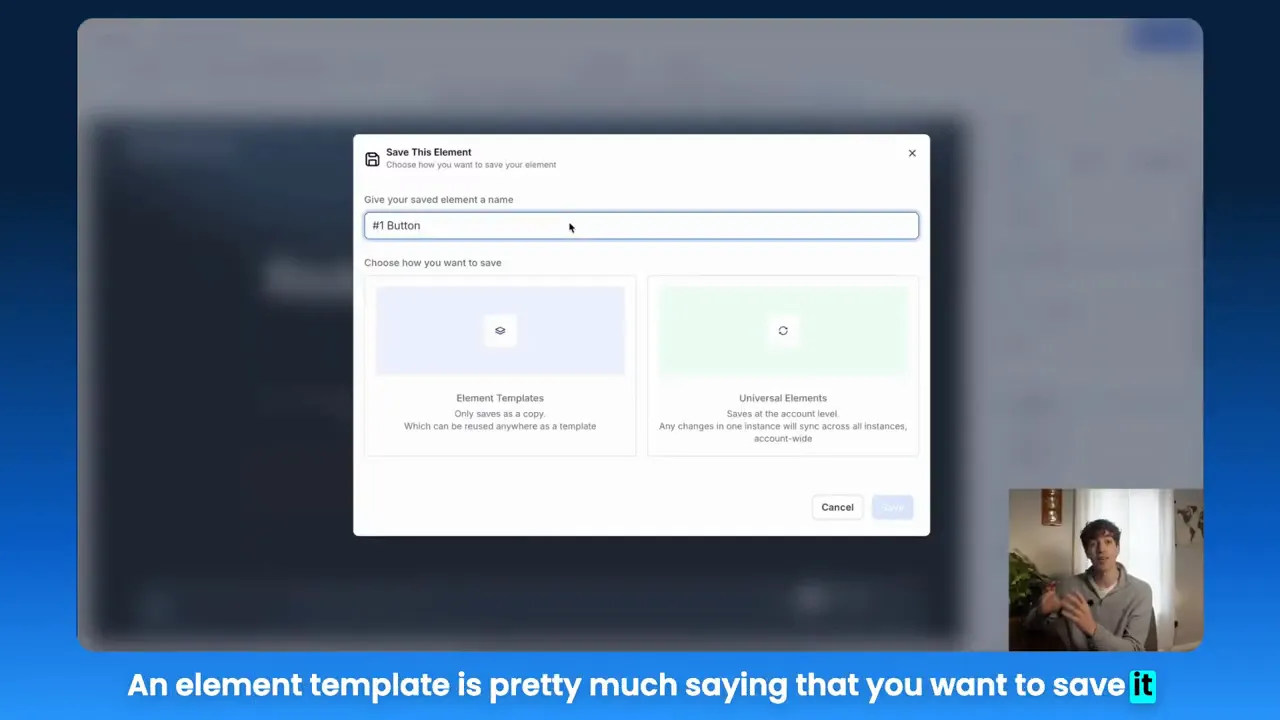
- Element templates — saved copies you can reuse while keeping them independent across funnels.
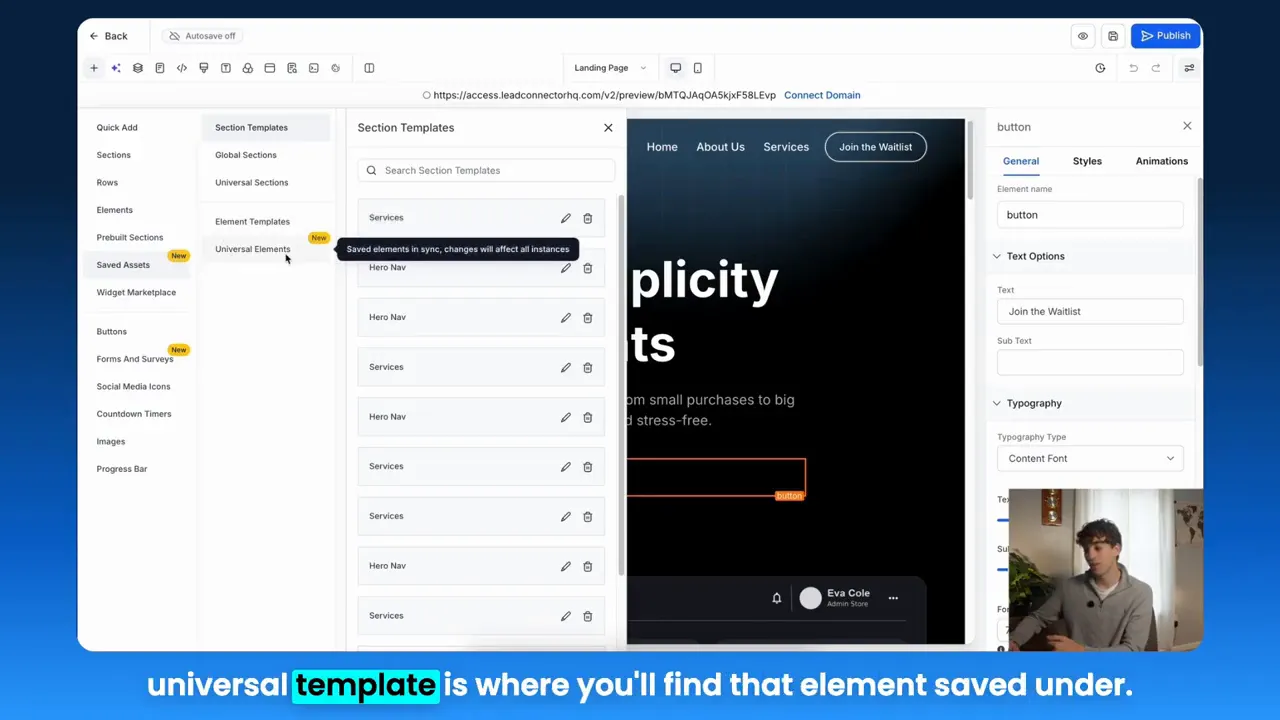
- Universal templates — account-level elements that sync globally when updated.
HighLevel: "The universal template will save the element across the account level meaning if you change it in one place it will automatically sync across all the other places that element is added to."
Use universal templates for global brand elements like CTAs, legal footers, and header menus. Use element templates for flexible pieces that might vary by campaign.
Real-Time Analytics to Iterate Faster
Knowing how your funnels perform in real time lets you identify friction points and double down on what works. Real-time analytics provides immediate feedback on user behavior—drop-off points, engagement with CTAs, and revenue attribution.
When analytics are integrated with your funnel builder and CRM, your team can link design changes (like a new universal CTA) directly to performance metrics. That shortens the test-learn-optimize cycle and boosts ROI.
Community Networking and Shared Intelligence
Growth happens faster when you are not siloed. Community networking gives small business owners and marketers access to peer-tested ideas, templates, and troubleshooting. Sharing element templates across teams and communities produces better creative iteration and faster resolutions of design or conversion issues.
Actionable tip: keep a community template library where top-performing elements are stored, annotated with context such as conversion rates and test history.
GFunnel’s Ecosystem Solutions
Small business owners, scale smarter with GFunnel. GFunnel is more than a funnel builder. It is an all-in-one business platform that blends marketing funnels, CRM, automation, networking, and real-time analytics into a single ecosystem. Below, each theme from the previous section is matched with GFunnel capabilities and meaningful metrics.
GFunnel’s Automation Features for Time Savings
GFunnel’s automation tools connect form submissions, button clicks, and user behavior to workflows that execute instantly. Eliminate repetitive manual tasks with drag-and-drop automation that handles lead routing, follow-up sequences, and task assignment.
- Impact: Save up to 50% of manual work on lead handling and campaign management.
- Stat: Automation paired with optimized marketing funnels yields an average 20% lift in conversions for nurtured flows.
Use Lead Connector With GFunnel to centralize contacts, trigger automations, and maintain consistent communication across campaigns and channels. This reduces time-to-contact and increases lead engagement.
Join GFunnel’s ecosystem! Start automating repetitive tasks and free your team to focus on strategy and creative testing.
GFunnel’s Design Consistency: Templates and Fast Autosave
GFunnel’s builder supports reusable elements and universal templates so design updates can propagate across all funnels. That reduces brand drift and makes A/B testing of CTAs and sections efficient.
- Fast autosave: GFunnel’s web worker autosave reduces save time from seconds to 103ms for a 28x faster experience.
- Impact: Faster saves mean less interruption to design flow and quicker iteration cycles.
Whether you use element templates for local changes or universal templates for global updates, GFunnel keeps your marketing funnels consistent and easy to maintain. The Lead Connector With GFunnel integration ensures that when a template change affects lead capture fields, CRM records remain synchronized.
Statistic: Teams that use universal templates iterate designs 2x faster because updates are centralized.
GFunnel’s Real-Time Analytics Dashboard for Actionable Insights
GFunnel provides real-time dashboards that surface conversion rates, funnel drop-offs, and revenue attribution. Those dashboards connect funnel behavior directly to CRM data, enabling a single source of truth for performance.
- Impact: Immediate visibility into which elements move the needle.
- Stat: Businesses using real-time analytics reduce optimization cycles by 35% and increase ROI on ad spend.
Link analytics to element templates so you can A/B test a CTA and see the impact across every funnel where the element is used. That makes marketing funnels measurable and scalable.
CTA: Explore GFunnel’s analytics to target the exact stage where leads drop off and apply a tuned universal element to fix it.
GFunnel’s Community Networking for Peer-Powered Growth
GFunnel’s niche communities—such as E-commerce Pros and SaaS Founders—help marketers share templates, case studies, and optimizations. Community-driven template libraries accelerate learning by surfacing high-performing elements for marketing funnels.
- Impact: Access to mentors and peers accelerates problem-solving and idea generation.
- Stat: Companies engaged in targeted communities see faster implementation of best practices and 15% faster growth on average.
Join GFunnel communities to trade templates, ask for feedback on universal elements, and glean tested strategies for your funnels.
Join GFunnel’s communities! Connect with E-commerce Pros and other niche groups to supercharge your marketing funnel strategy.
GFunnel’s E-commerce and Payment Tools for Seamless Transactions
Beyond funnel design, GFunnel supports built-in e-commerce processing so transactions happen without stitching together separate tools. Capture customer data at checkout, credit that revenue back to funnel steps, and use that data for personalized campaigns.
- Impact: Integrated payments and funnels reduce friction and boost conversion completion rates.
- Stat: Businesses reporting integrated checkout and funnel tracking see higher average order values and better attribution.
For restaurants and local businesses, GFunnel includes specialized features like online ordering and customer capture that integrate directly with marketing funnels for targeted promotions and repeat purchase automation.
Real-World Applications
Small business owners, here are two detailed case studies that demonstrate how GFunnel and Lead Connector With GFunnel combine design templates, automation, analytics, and community knowledge into measurable gains.
E-commerce Store: Scaling Sales with Consistent CTAs and Automation
Problem: A mid-sized apparel brand had inconsistent CTAs across landing pages, sporadic follow-up sequences, and fragmentation between the funnel builder and CRM. They were spending hours recreating the same promotional button and losing revenue to slow follow-up.
Solution: The team implemented universal element templates for CTAs and product badges. They linked form captures directly to Lead Connector With GFunnel and built automated sequences for cart recovery, product recommendations, and post-purchase reviews.
- Template strategy: Save a single CTA as a universal template and drop it into all product funnels.
- Automation: Trigger a 3-email cart recovery sequence when a visitor clicks the CTA but does not complete checkout.
- Analytics: Use GFunnel dashboards to compare conversion rates before and after template deployment.
Results: Within three months, the brand saw a 20% increase in conversion rates for pages using the universal CTA and reduced manual build time by 60%. Lead response times dropped by 40% thanks to automated lead routing.
"GFunnel’s universal templates and Lead Connector integration cut our rebuild time in half and delivered an immediate lift in conversions."
Long-tail keyword applied: build marketing funnels with GFunnel for apparel stores.
Restaurant Chain: Faster Ordering, Better Retention
Problem: A regional restaurant chain needed a consistent ordering experience across local pages and faster updates for limited-time offers. Each location had separate pages and different button styles, causing confusion and slower promotions.
Solution: The chain used element templates for order buttons and menu highlights, implementing universal templates so promotional updates rolled out instantly to all location pages. GFunnel’s online ordering and Call Net Capture captured customer data at checkout and fed it into Lead Connector With GFunnel for loyalty campaigns.
- Template strategy: Universal order buttons and offer banners across all location funnels.
- Automation: Trigger loyalty emails and SMS for repeat customers automatically.
- Analytics: Real-time dashboards tracked which offers drove the most orders.
Results: The chain achieved a 25% increase in online orders for promotions rolled out via universal templates and reduced the time to publish new offers from days to minutes. Repeat purchase rates climbed by 18% after automating loyalty campaigns.
"GFunnel’s automation saved us hours each week and made local promotions possible at scale."
Long-tail keyword applied: scale restaurants with GFunnel for online ordering and automation.
Why GFunnel Leads
Small business owners and marketers evaluate platforms by capability, cost, and integration. GFunnel stands apart because it is an all-in-one business platform: marketing funnels, CRM, automation, community, and e-commerce are available without stitching multiple subscriptions together.
Key advantages:
- Unified data: Funnel behavior, CRM contacts, and transaction data live in one place for accurate attribution.
- Affordability: Competitive pricing with feature-rich plans, including a free tier to get started.
- Fast autosave: Web worker saves edits in 103ms, significantly reducing lost work and improving creative flow.
- Community: Niche groups for peer support and shared templates accelerate learning and implementation.
Dynamic comparison: Traditional Business Tools vs. GFunnel’s Ecosystem
- Autosave Speed — Traditional: Slow (seconds). GFunnel: Fast (103ms, 28x faster).
- Automation — Traditional: Manual processes or multi-tool orchestration. GFunnel: 50% less manual work with integrated automations.
- Networking — Traditional: Limited connections. GFunnel: Niche communities and mentorship networks.
- Analytics — Traditional: Third-party tools and fractured data. GFunnel: Real-time dashboards and unified attribution.
- Flexibility — Traditional: Generic tools require integrations. GFunnel: Tailored solutions and API access.
Competitive edge: The unified approach reduces overhead, improves time-to-market, and offers a single-pane view for optimization—making GFunnel a better fit for entrepreneurs who need speed and scale.
CTA: Learn more about GFunnel’s features and choose the plan that fits your growth stage: https://www.gfunnel.com/funnel-home and https://www.gfunnel.com/pricing (visit the pricing page on the GFunnel site to compare plans).
Actionable Steps to Implement Today
Follow this checklist to bring element templates, automation, and analytics into your marketing funnels immediately.
- Identify recurring elements across funnels (CTAs, footers, forms).
- Create universal templates for global brand elements and element templates for flexible items.
- Integrate Lead Connector With GFunnel to centralize leads and trigger automations.
- Set up real-time dashboards that map to funnel stages and element usage.
- Join GFunnel communities to share templates and get feedback before large rollouts.
- Run a 30-day A/B test on a universal CTA to measure impact on conversion.
Small business owners, scale smarter with GFunnel by starting with a single universal element that appears on your highest-traffic page. Measure, iterate, and expand the practice across funnels.
Engagement Tools and Resources
Use these GFunnel pages to get started and scale:
- GFunnel homepage for platform overview: https://www.gfunnel.com
- Explore GFunnel’s automation features: https://www.gfunnel.com/automation-home
- Join niche communities and discussions: https://www.gfunnel.com/communities and https://www.gfunnel.com/discussions-home
- Start building funnels now: https://www.gfunnel.com/funnel-home
Try the interactive quiz to map your business growth potential (Test Your Business Growth Potential on the GFunnel site). Consider creating a template library inside your organization and sharing your best-performing elements in GFunnel communities for feedback and replication.
Testimonials
"GFunnel’s automation saved us hours weekly and let us focus on growth instead of manual work."
"Lead Connector With GFunnel unified our lead data and made funnel attribution simple and accurate."
Related Content
- Scale Restaurants with GFunnel — visit the GFunnel homepage description for restaurant features: https://www.gfunnel.com
- Build marketing funnels with GFunnel — funnel builder tools overview: https://www.gfunnel.com/funnel-home
- Automate business operations with GFunnel — automation features: https://www.gfunnel.com/automation-home
Conclusion and CTA
Marketing funnels are the spine of modern customer journeys. Consistent elements, strong automation, real-time analytics, and a collaborative community accelerate growth. Lead Connector With GFunnel ties these components together so that your funnel improvements are easier to build, measure, and scale.
Use universal templates to maintain brand consistency across funnels, apply automation to cut manual work and nurture leads faster, and rely on real-time analytics to make confident optimization decisions. GFunnel’s all-in-one approach pairs powerful funnel tools with CRM and community features that make scaling sustainable and repeatable.
Small business owners, scale smarter with GFunnel. Start your free trial and explore the platform: https://www.gfunnel.com/create-account
FAQs
What makes GFunnel more than a funnel builder?
GFunnel combines marketing funnels with CRM, automation, real-time analytics, community networking, and e-commerce tools. The platform centralizes lead data, funnel behavior, and transactions so you can optimize from a single source of truth.
How does GFunnel support automation for marketing funnels?
GFunnel’s automation tools connect triggers like form submissions and button clicks to workflows that automate lead routing, email sequences, SMS, and task assignments. This reduces manual work by up to 50% and improves response times and conversion.
Can I keep design consistency across multiple funnels?
Yes. GFunnel supports element templates and universal templates. Universal templates sync globally when updated, while element templates provide reusable copies you can modify independently for each funnel.
How fast is GFunnel’s autosave and why does it matter?
GFunnel’s autosave uses a web worker to reduce save latency to 103ms, which is approximately 28x faster than traditional save times measured in seconds. Faster autosave improves creative flow and reduces the chance of lost work during editing.
Where can I learn more about GFunnel’s communities and resources?
Explore GFunnel’s communities, discussions, and courses to share templates and get feedback: https://www.gfunnel.com/communities, https://www.gfunnel.com/discussions-home, and https://www.gfunnel.com/courses.
Need Help Implementing This? |
|
Schedule A Discovery Call With One Of Our Professionals |
| Access Now |


